
 Adam Pichardo
TL;DR:
- Choosing a HIPAA-aware AI system that books appointments into your practice management software increases revenue by reducing missed calls. Pulp AI Studio offers a managed, HIPAA-compliant setup (signed BAA) live in about two weeks, with custom builds on hardware the practice owns as the step up, both with direct booking and compliance built in. Implementing such systems significantly improves patient response, lowers missed-call rates, and enhances overall practice growth.
Choose a HIPAA-aware AI answering system that books appointments directly into your practice management software (PMS) and texts patients back within 30 seconds. That single decision recovers more new-patient revenue than any other front-desk upgrade most practices make. The industry average missed-call rate is about 35%. Practices performing below average see missed-call rates over 40%, while top performers keep their missed-call rates under 10%. Every unanswered call is a patient who will call the next practice on Google Maps.
Pulp AI Studio sets up and runs AI answering systems for dental offices: a managed, HIPAA-compliant setup live in about two weeks at one flat monthly price, or a custom build on hardware the practice owns in about 30 days. A signed BAA and PMS integration are non-negotiable requirements for any vendor you consider.
Quick next steps:
- Pull your missed-call rate from your phone system or PMS reporting
- List your top five call reasons and your current PMS (Dentrix, Eaglesoft, Open Dental, or other)
- Request a demo or scoped estimate from at least two vendors
- Run a two-week pilot with measurable KPIs before signing a long-term contract
How does a dental answering service handle calls from first ring to resolution?
The call flow is straightforward, but the details between “ring” and “resolution” are where most services either earn their fee or quietly fail you.

When a call comes in, the service answers, verifies the caller’s identity, and determines the reason for the call. From there, the agent or AI either books the appointment directly into your PMS, routes an urgent call to the on-call clinician, or logs a message and sends it to your team. Your practice receives a conversation summary, usually by SMS or email, within minutes.
Three delivery models exist, and they are not interchangeable:
Live human operators answer every call with a real person. Coverage is consistent, but agents are often scripted, rarely fluent in dental terminology, and almost never write directly into your PMS. They take messages; they do not book appointments.
AI receptionists respond instantly, handle booking, send SMS confirmations, and never go on break. The tradeoff is that complex or emotionally sensitive calls benefit from a human touch. The better AI systems escalate those calls automatically.
Hybrid models combine both. Routine calls (appointment requests, hours, directions) go to AI; clinical questions and distressed callers route to a live agent or on-call clinician. For most practices, this is the most practical configuration.
Before you commit to any service, confirm four operational items: whether scripts can be customized for your procedures and terminology, which shifts are covered (including holidays), how after-hours calls are handled differently from business-hours calls, and how often you receive reporting on call volume and outcomes.
A virtual scheduling assistant that writes directly into your PMS eliminates the callback loop and the double-entry problem that plagues message-only services. That distinction drives real booking conversion.
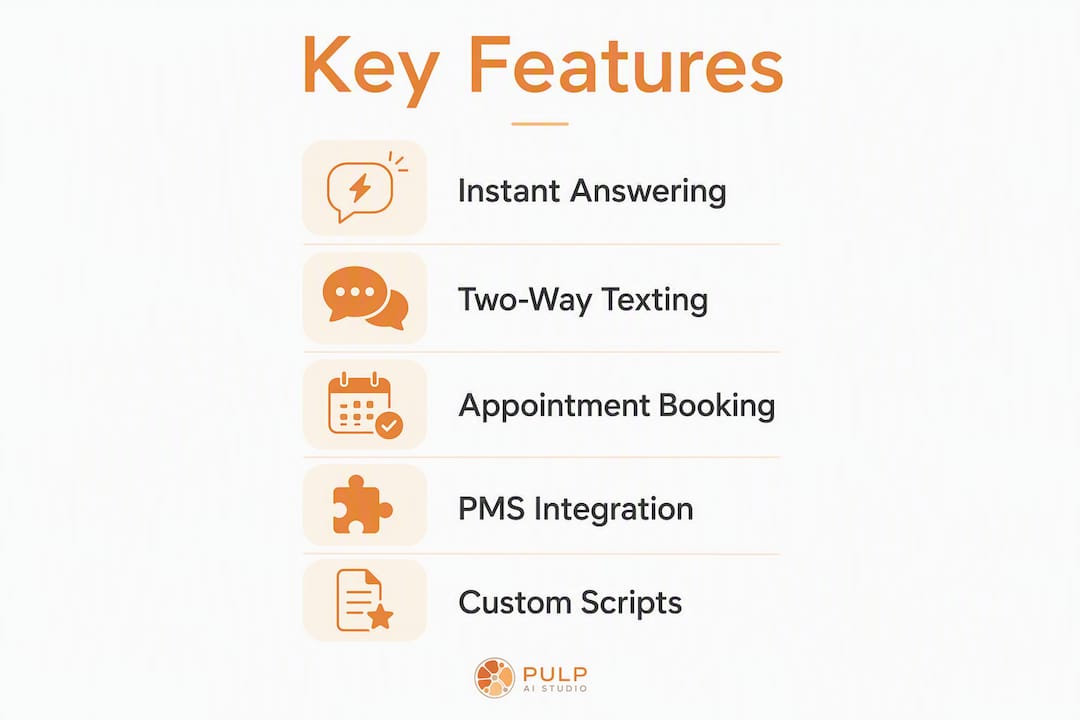
What features should dental offices require from an answering service?
Not every feature list is equal. Prioritize the items that directly affect whether a new patient books or disappears.
Must-haves:
- Signed HIPAA Business Associate Agreement (BAA) before any patient data is shared
- Live or instant AI answer, 24 hours a day, 7 days a week, including holidays
- Direct appointment booking that writes into your PMS (not just message-taking)
- Two-way SMS so patients can confirm, cancel, or ask follow-up questions by text
- Accurate, timestamped conversation logs delivered to your team
- Automated appointment confirmation and reminder integration
High-impact extras:
- Website chat and social messaging routing (Facebook Messenger, Instagram DMs)
- Patient identification and consent capture at the start of each call
- Voicemail transcription for calls that do slip through
- Multilingual support if your patient base requires it
- Analytics dashboard showing call volume, booking rate, and missed-call trends
Implementation features to demand before signing:
- Script customization using your actual procedure names and insurance terminology
- A documented onboarding timeline (not “a few weeks”)
- Staff training on how to read logs, adjust scripts, and escalate issues
- A written SLA specifying maximum response time for both AI and human escalation
Two-way texting and missed-call text-back are not nice extras. Practices that offer instant multi-channel response capture noticeably more after-hours patient inquiries than those relying on voicemail or next-day callbacks.
How a dental answering service helps your practice grow
Fewer missed calls and faster response times translate directly into revenue. A two-provider dental practice taking about 40 calls daily can miss an estimated 10 to 14 calls during peak and after-hours, which may translate to roughly $3,000 in potential weekly revenue at an $850 new-patient value. That is not a rounding error.

The operational benefits compound quickly. Your front desk stops fielding after-hours calls on personal phones. Appointment books fill more consistently because booking happens at the moment of patient intent, not the next morning when the patient has already called elsewhere. Staff arrive to fewer voicemails and more confirmed appointments.
Patient experience improves in ways that show up in reviews. Faster confirmations, text-based convenience, and shorter callback waits all reduce friction. Patients who feel heard immediately are less likely to no-show and more likely to refer.
Pro Tip: Track three metrics during any pilot: total calls captured, new appointments booked through the service, and morning voicemail count. If voicemail load drops and bookings rise, the service is working. If only one moves, dig into why.
What does a dental answering service cost?
Pricing varies widely, and the model matters as much as the monthly number.
Common pricing structures:
- Per-minute billing: You pay for every minute an agent is on a call. Costs scale with volume and can spike unpredictably during busy periods.
- Per-call billing: A flat rate per answered call, regardless of duration. Predictable but can penalize practices with longer triage calls.
- Tiered monthly plans: A fixed monthly fee covering a set call volume, with overage charges above the threshold. Common among human answering services.
- Flat monthly managed setups: One flat monthly price for an AI system someone else sets up and runs, with no per-minute charges.
- Custom builds: A scoped project fee for an AI system the practice owns, plus an optional monthly managed plan.
Human answering services typically cost $300 to $800 per month for smaller practices. AI receptionist subscriptions often cost a few hundred dollars per month, while managed AI setups run at a flat monthly price and custom AI builds are scoped as a project.
Hidden fees to ask about before signing:
- Setup or onboarding fees (sometimes $200–$500 on top of the monthly rate)
- Per-minute overage charges when you exceed your plan’s included minutes
- Cancellation penalties or early-termination fees
- Additional costs for PMS integration or SMS/API access
The comparison that matters is not vendor A versus vendor B on monthly price. It is vendor cost versus recovered revenue from calls that would otherwise go to voicemail.
What integrations should you verify before buying?
A dental answering service that cannot write into your PMS is a message-taking service. That distinction costs practices bookings every day.
Priority integrations to confirm:
- Your PMS: Dentrix, Eaglesoft, and Open Dental are the most common. Confirm two-way booking, not just read access.
- Calendar sync so the service checks real-time availability before offering appointment slots
- Automated SMS and reminder platforms for confirmation and recall workflows
- EHR links if your practice uses a separate clinical record system
Beyond the integration list, verify the data flow. Does the service write appointments directly, or does it send a message for your team to enter manually? Can it check live availability, or does it offer generic slots? Are conversation logs delivered encrypted, and to whom?
Technical red flags:
- Services that only take messages and require your team to call patients back
- No API access or documentation for PMS connection
- Manual double-entry required for any booking
- Message logs delivered by unencrypted email
AI-driven inquiry handling that connects directly to your scheduling system closes the gap between a patient’s intent to book and an actual confirmed appointment on your calendar.
How to choose a dental answering service: checklist and red flags
A structured evaluation prevents the most common buying mistakes: choosing on price alone, skipping the BAA conversation, or discovering PMS incompatibility after go-live.
- Measure your baseline. Pull average daily call volume, after-hours call share, your top five call reasons, current no-show rate, and your PMS name before any demo.
- Ask the booking question first. “How do you book appointments into [your PMS]?” is the single most revealing demo question. Vague answers mean manual entry.
- Require a BAA before sharing any patient data. Ask for a redacted BAA template during the demo, not after you sign.
- Confirm SLA terms in writing. Maximum response time for AI, maximum escalation time to a live agent, and uptime guarantees should all be in the contract.
- Ask who trains your scripts. Dental terminology is specific. Confirm that script customization is included and who handles updates when your procedures or hours change.
- Request a pilot option. Any vendor confident in their service will offer a short trial with measurable KPIs. Require it.
- Read the cancellation clause. Month-to-month terms or short notice periods protect you if the service underperforms.
Red flags that should end the conversation:
- No BAA, or a vendor who treats it as optional
- Agents who cannot deviate from rigid scripts when a patient asks a follow-up question
- No direct PMS integration (message-only services)
- Opaque escalation rules for after-hours emergencies
- Multi-month lock-in with no pilot period
Missed-call reduction and automated reminders consistently deliver the fastest ROI for dental practices. Let that guide your evaluation criteria.
After-hours coverage and emergency triage: what to set up before go-live
After-hours calls fall into three categories, and your answering service needs written rules for each before it handles a single patient call.
Emergent calls involve severe pain, trauma, swelling with systemic symptoms, or post-operative complications. These require an immediate referral to the emergency department or a direct call to the on-call clinician. The service should never attempt to triage clinical severity without explicit escalation rules from your practice.
Urgent calls cover significant pain, a lost restoration, or a broken appliance causing discomfort. The protocol here is a callback from the on-call clinician within a defined window, typically 30–60 minutes.
Routine calls are appointment requests, billing questions, and general inquiries. These get a message log and a next-business-day booking or callback.
Document which clinician or on-call number receives alerts for each category, and specify the delivery method: SMS to the clinician’s phone, email to the practice inbox, or both. Handling urgent patient texts automatically with clear escalation logic keeps your team informed without overwhelming the on-call provider with routine questions.
Practices that use instant automated response capture substantially more after-hours patient inquiries than those relying on voicemail. That gap is entirely recoverable with the right triage configuration.
Pro Tip: Run test calls during onboarding for each triage category. Confirm that emergent calls reach the on-call clinician within your defined window, and that routine calls generate a log without triggering an alert. Fix gaps before the system goes live, not after.
HIPAA and data-handling checks you must verify
Every vendor conversation about patient data starts with one question: “Can I see your BAA template?” If the answer is hesitant, the conversation is over.
Minimum compliance requirements:
- Signed Business Associate Agreement (BAA) before any protected health information (PHI) is transmitted
- Encryption at rest and in transit for all call recordings, transcripts, and message logs
- Access logs showing who viewed or exported patient data and when
- Role-based user controls so only authorized staff can access conversation records
- Secure credential storage for any PMS or EHR integration
Operational assurances to request:
- Training records confirming that agents or AI operators are HIPAA-trained
- A documented data-retention policy specifying how long recordings and logs are stored
- An incident-response process describing how the vendor notifies you of a breach
Verification steps:
- Ask for a redacted BAA template during the demo
- Request SOC 2 Type II attestation or equivalent HIPAA security documentation
- Ask for references from other medical or dental customers who can speak to compliance handling
- Require a demo showing how secure message logs are accessed and by whom
Pulp AI Studio’s HIPAA-compliant answering service approach covers BAA execution, encryption in transit and at rest, and secure PMS credential handling on both tiers: the managed setup and the custom build.
Research-backed data on missed calls and patient communication preferences
The numbers make the ROI case clearly.
| Metric | Below Average | Industry Average | Top Performers |
|---|---|---|---|
| Missed-call rate | 40%+ | 35% | Under 10% |
| After-hours capture (voicemail vs. instant response) | Low | Moderate | 2–3x more after-hours patient inquiries with instant response |
| New-patient call conversion | Low | Moderate | Improves with same-day booking |
A two-provider dental practice taking about 40 calls per day can miss an estimated 10 to 14 calls during peak and after-hours, which may add up to roughly $3,000 in potential weekly revenue at an $850 new-patient value.
Stat to know: Roughly 80% of callers who reach voicemail hang up without leaving a message, which means voicemail-first strategies serve only the minority of patients willing to wait for a callback.
Patients consistently prefer text and multi-channel communication over phone-only contact. Practices that offer only a phone number risk losing patients to competitors who respond by text within seconds.
To use these numbers during vendor evaluation: estimate your daily missed-call count, multiply by your average new-patient value, and compare the weekly revenue loss to the vendor’s monthly fee. That calculation alone usually justifies the investment. The missed-call math for dental practices makes this straightforward to run.
How Pulp AI Studio solves missed-call and after-hours coverage for dental practices
Pulp AI Studio sets up and runs agentic AI answering systems for dental offices. The core setup includes missed-call text-back (SMS reply within 30 seconds of a missed call), after-hours auto-reply, AI-handled conversations, appointment booking, and an instant alert to the practice owner or on-call clinician. The system writes into your PMS and handles the conversation so your team arrives to booked appointments, not a list of callbacks. The complete scope is on the dental answering service page.
Every project is scoped before work begins. Most practices start on the managed setup: HIPAA-compliant with a signed BAA, encrypted in transit and at rest, connected to your PMS, run by us at one flat monthly price, and live in about two weeks (compliance paperwork can add time). Practices that want patient data on hardware they control step up to a custom build, live in about 30 days, where the practice owns the rig and an optional managed plan covers monitoring, script updates, and performance improvements.
Metrics to track from day one: time-to-response for missed calls, total calls captured versus missed, new patients booked through the AI, and morning voicemail count. Those four numbers tell you whether the system is working within the first week.
What are typical contract terms and cancellation policies?
Most human answering services operate on month-to-month or annual contracts. Month-to-month plans offer flexibility but often carry higher per-minute rates. Annual contracts typically reduce the monthly rate by 10–20% but lock you in before you have confirmed real-world performance.
Watch for automatic renewal clauses that require 30–60 days’ written notice to cancel. Missing that window can bind you to another full term. Ask for the cancellation clause in plain language before signing, not buried in the terms of service.
Ask Pulp AI Studio the same questions you ask anyone else. On the managed setup, the practice’s contacts, conversation history, and phone number stay exportable and portable if you leave. On a custom build, the practice owns the system after delivery, and the optional managed plan covers monitoring and updates, not access.
Regardless of model, require a pilot period before committing to a long-term contract. A 30-day pilot with defined KPIs (calls captured, bookings made, response time) gives you real performance data rather than a vendor’s projected numbers.
Comparing types of dental answering services: pros and cons
Rather than naming specific vendors, the more useful comparison is by delivery model, since that determines what you actually get.
| Service Type | Strengths | Limitations |
|---|---|---|
| Human answering service | Warm caller experience, handles nuance | Scripted agents, limited dental terminology, rarely books into PMS, $300–$800/month |
| AI receptionist (subscription) | 24/7 availability, instant response, costs a few hundred dollars per month | May lack PMS writeback, limited customization, ongoing subscription fee |
| Managed AI setup (done for you) | PMS integration, HIPAA-compliant with a signed BAA, run for you at one flat monthly price | Hosted rather than on hardware you own; about two weeks to go live |
| Custom AI build (owned) | Full PMS integration, custom scripts, no per-minute billing, practice owns the system | Higher upfront project fee, requires scoping and about 30 days to build |
| Hybrid (AI + live agent) | Best of both, escalation for complex calls | More complex to configure, higher cost than AI-only |
The right choice depends on your call volume, after-hours exposure, and whether booking conversion or caller experience is the bigger gap in your current workflow. For practices where missed new-patient calls are the primary revenue leak, an AI system with PMS writeback, managed or custom, typically delivers faster ROI than a human service that takes messages and leaves booking to your team.
Automated medical answering services that integrate directly with scheduling systems outperform message-only alternatives on booking conversion in every configuration.
How long does implementation take from signup to go-live?
Timeline varies significantly by service type.
A human answering service can typically go live in 3–7 business days. The setup involves script approval, call routing configuration, and a brief onboarding call. The tradeoff is that “live” often means agents are reading from a generic dental script until your customizations are approved, which can take another week.
Subscription AI receptionist platforms often advertise same-day or 48-hour activation. In practice, PMS integration and script customization add time. Expect 1–2 weeks for a fully configured deployment.
Pulp AI Studio’s managed setup is scoped before work begins and typically goes live in about two weeks; a custom build on hardware you own takes about 30 days. The scoping conversation defines call flows, triage rules, PMS integration requirements, and escalation logic. The build is tested before go-live, so the system is working correctly from day one rather than being tuned after patients start calling.
During any implementation, require a test-call phase before the service handles real patient calls. Test each call category: new-patient booking, appointment change, after-hours urgent, and after-hours routine. Confirm that logs are delivered correctly and that escalation alerts reach the right person.
Key Takeaways
A HIPAA-aware AI answering system with direct PMS integration is the most effective way for dental practices to recover missed-call revenue, reduce administrative overhead, and capture new patients around the clock.
| Point | Details |
|---|---|
| Benchmark your missed-call rate | The industry average missed-call rate is about 35%; top performers keep it under 10%. Measure your rate before evaluating vendors. |
| Require HIPAA BAA and PMS writeback | A signed BAA and direct booking into your PMS are non-negotiable; message-only services leave revenue on the table. |
| Run a pilot before committing | A two-week pilot with KPIs (calls captured, bookings made, voicemail reduction) validates real performance before a long-term contract. |
| Calculate recovered revenue vs. vendor cost | A two-provider dental practice missing 10 to 14 calls per day at $850 new-patient value can lose $3,000 in weekly revenue; compare that to any vendor’s fee. |
| Pulp AI Studio as an option | A managed, HIPAA-compliant AI answering setup with PMS integration, live in about two weeks at one flat monthly price, or a custom build the practice owns in about 30 days. |
Why flat-priced AI answering beats per-minute billing
The per-minute model has a structural problem: the vendor’s revenue grows when your call volume grows, which means there is no incentive to help you reduce unnecessary calls or improve booking efficiency. You pay more as the practice gets busier, regardless of whether those calls convert to appointments.
A flat-priced system inverts that dynamic. A managed setup costs the same whether the phone rings ten times or a hundred, someone keeps tuning it, and the practice keeps every efficiency gain. For small practices where the front desk is already stretched, that changes the math considerably.
The practices that benefit most from a custom build on top of that are those with consistent after-hours call volume, a clear PMS they want to integrate, and a preference for keeping patient data on hardware they control. Most practices start managed and grow into a rig.
A Plan Run for You, Not Another Tool to Run
Most owners did not lose the lead because a tool was missing. They lost it because nobody had time to run the tool. So we run it for you: a hosted CRM with the AI already wired in, set up and managed for your shop, live in about two weeks, and priced in the same range as the do-it-yourself AI receptionist plans, at one flat monthly price. The pieces most shops start with:
- Voice AI receptionist. Answers, qualifies, and books onto your calendar day or night, connected to the CRM or field software you already use, and hands the call to a person when it needs one. See the after-hours answering service.
- Speed to lead. A new form fill, ad lead, or missed call gets a text back right away, while the customer is still shopping. More on why the first few minutes decide the job.
- Database reactivation. The old leads and past customers already sitting in your system get a conversational text campaign that books the ones who are ready now. See database reactivation.
- AI social replies. Facebook and Instagram comments and DMs get answered and routed instead of sitting unread until Monday. The AI chatbot guide covers how those replies work.
Your contacts, your conversation history, and your phone number stay yours to export or port out if you leave. For shops that want the whole system on hardware they own, prompts, logs, and models included, the custom build below is the step up (about 30 days, since there is hardware to set up). Most shops start managed and grow into a rig, not the other way around.
Ready to stop losing new patients to voicemail?
Whether you start managed or go straight to a custom build, the system responds to missed calls within 30 seconds, books appointments directly into your PMS, and delivers instant alerts to your team.
To get started, have three things ready: your average daily call volume, your PMS name, and your after-hours escalation rules. With that information, a scoped proposal takes one conversation. The managed setup goes live in about two weeks; a custom build on hardware you own takes about 30 days.
Visit the dental answering service page to see what a dental build includes and request a scoped estimate. If you need a fully custom AI system with chatbot, SMS, and PMS integration, the custom AI build page covers every configuration option.
Useful sources and further reading
- Dental Practice Customer Communication Statistics 2026 — Benchmarks for missed-call rates, response time targets, and patient communication preferences; supports the data-driven impact and benefits sections.
- Missed Calls Are Costing Your Practice | Solutionreach — Revenue loss calculations and virtual scheduling assistant capabilities; supports pricing and ROI sections.
- The Real Cost of Missed Calls for Dental Practices | Dently.AI — Cost comparison of human answering services versus AI options, and the voicemail hang-up problem; supports pricing and benefits sections.
- Pulp AI Studio: AI Receptionist for Dentist Offices — Missed-call math and financial case for AI receptionists in dental practices.
- Pulp AI Studio: HIPAA-Compliant Answering Service — Implementation and compliance details for HIPAA-compliant dental setups.
FAQ
What is a dental answering service?
A dental answering service handles inbound patient calls on behalf of a dental practice, covering appointment booking, after-hours triage, and message delivery. Modern services range from live human operators to AI-powered systems that book directly into the practice’s scheduling software.
How much does a dental answering service cost?
Human answering services typically run $300–$800 per month for smaller practices. AI receptionist subscriptions often cost a few hundred dollars per month, while managed AI setups run at a flat monthly price and custom AI builds are scoped as a project.
Is HIPAA compliance required for a dental answering service?
Yes. Any service that handles protected health information (PHI) must sign a Business Associate Agreement (BAA) with your practice before processing patient calls or data. Never share patient information with a vendor who has not executed a BAA.
How quickly can a dental answering service go live?
Human services typically activate in 3–7 business days. Subscription AI platforms often take 1–2 weeks with full PMS integration. Pulp AI Studio’s managed setup typically goes live in about two weeks and a custom build in about 30 days, both tested before go-live.
What is the biggest mistake practices make when choosing an answering service?
Choosing a service that takes messages instead of booking appointments. A message-only service requires your team to call patients back, and most patients who do not hear back within minutes will book elsewhere.