
 Adam Pichardo
Missed urgent patient texts don’t just frustrate patients. They create liability, erode trust, and push people toward competitors who pick up faster. The pressure to handle urgent patient texts automatically has never been higher, especially as clinic volumes climb and after-hours coverage gets thinner. Manual triage is slow, inconsistent, and depends on whoever happens to be watching the inbox. The good news is that AI-powered text automation has matured to the point where clinics can deploy reliable urgency detection, instant auto-replies, and escalation workflows without hiring extra staff or overhauling their entire system. The same urgency detection and escalation logic powers a full automated medical answering service across voice and text.
Key Takeaways
| Point | Details |
|---|---|
| Define urgency before automating | Clinical staff must establish clear escalation criteria before any AI tool can triage messages safely. |
| AI triage cuts response time dramatically | Automated systems can reduce clinician time-to-first-read for high-acuity messages from 22 hours down to 5. |
| After-hours replies need emergency disclaimers | Every automated after-hours response must direct patients to 911 or the ER for life-threatening situations. |
| Measure performance with operational SLAs | Track median read times and classification accuracy to verify the system is working and improving over time. |
| Automation supports clinicians, never replaces them | AI handles triage and routing; licensed staff must own every clinical decision. |
What to prepare before automating urgent patient texts
Before you configure a single automated reply, you need to map what is actually happening in your current workflow. Pull a week’s worth of incoming texts and categorize them: appointment requests, refill questions, symptom reports, and genuine emergencies. Most clinics are surprised to find that 60 to 70 percent of their inbound volume is routine. That’s the workload AI can absorb immediately. The urgent 10 to 15 percent is where the real work begins.
Compliance comes first. Any platform you select must support HIPAA-compliant messaging that encrypts messages in transit and at rest, maintains audit logs, and supports patient consent workflows. This is not optional. A text automation system that leaks protected health information creates far worse problems than a slow inbox.
Next, sit down with your clinical team and define what “urgent” actually means for your patient population. A cardiology clinic and a pediatric practice have very different urgency thresholds. Your escalation criteria need to be written, reviewed by a licensed clinician, and translated into specific keywords and symptom patterns the system can detect. Escalation criteria that are missing or inconsistent are the single most common reason high-acuity routing systems fail, not algorithm errors.
Finally, plan for staff training before launch day. Your front desk and on-call staff need to understand what the system handles, what it escalates, and what their role is when an escalation fires. Set clear response time expectations in writing.
Pro Tip: Create a one-page escalation reference card that lists your defined urgent keywords, the escalation path, and the expected response time. Post it at every workstation and review it monthly.
- Audit your current text volume and categorize message types before selecting any tool
- Confirm the platform meets HIPAA requirements for encryption, consent, and audit logging
- Define urgency criteria with clinical input, not just IT or administrative staff
- Document escalation paths: who gets notified, through what channel, and within what time window
- Set measurable goals: target response time, classification accuracy, and patient satisfaction scores
How to set up automated urgent patient text handling
Once your groundwork is solid, the actual setup follows a logical sequence. Here is how to build it step by step.
-
Select an AI triage platform. Look for tools that use natural language processing to detect urgency patterns rather than relying on patient self-reporting. NLP-based triage outperforms legacy self-report systems by reducing provider response delays by up to 17 hours. The platform should integrate with your existing EHR or scheduling software.
-
Configure your urgency keyword library. Work with your clinical team to build a list of phrases that signal high acuity: chest pain, can’t breathe, severe bleeding, allergic reaction, suicidal thoughts. Add synonyms and misspellings. Patients under stress do not type carefully.
-
Write your automated reply templates. You need at least three: a routine acknowledgment, an urgent acknowledgment, and an after-hours reply. After-hours auto-replies must include explicit emergency disclaimers directing patients to call 911 or go to the nearest ER, along with a clear statement of when staff will respond.
-
Build your escalation workflow. When the system detects an urgent keyword, it should immediately send the patient an acknowledgment, then alert the on-call clinician or care team through a separate channel (secure pager, encrypted app, or direct call). The clinician gets a summary of the flagged message, not a raw text dump.
-
Run a test sprint before going live. Send 50 to 100 simulated messages through the system, including edge cases: ambiguous symptoms, messages with no urgency keywords that describe emergencies, and routine messages that contain alarming words out of context. Adjust your rules based on what the system misses or misfires on.
-
Monitor weekly for the first 90 days. Review classification accuracy and median response times every week. Adjust keyword libraries and escalation thresholds based on real-world performance.
| Setup Phase | Key Action | Success Metric |
|---|---|---|
| Platform selection | Confirm NLP capability and HIPAA compliance | Vendor audit passed |
| Keyword configuration | Build urgency library with clinical input | Coverage of top 20 urgent scenarios |
| Template creation | Write and approve all automated reply text | Clinical sign-off obtained |
| Escalation workflow | Configure alerts to on-call staff | Alert delivery under 60 seconds |
| Testing | Run simulated message scenarios | Less than 5% false negative rate |
| Monitoring | Weekly SLA review for 90 days | Read time and accuracy trending up |
Pro Tip: Ask your platform vendor for a sandbox environment where you can test message flows without sending anything to real patients. If they don’t offer one, that’s a signal worth noting.
AI triage systems use deterministic protocols to detect urgent cases by patterns and keywords, escalating complex cases for human review instead of generating free-text clinical answers. That distinction matters. The AI is a traffic cop, not a doctor.

Common pitfalls when automating urgent patient communication
The technology works. The failures almost always come from implementation gaps. Here is where clinics consistently run into trouble.
False negatives are the most dangerous failure mode. A false negative means the system classified an urgent message as routine. This happens when your keyword library is too narrow or when patients describe symptoms in unexpected ways. A patient texting “I feel really weird and my arm is numb” may not trigger a chest pain alert, but that message needs escalation. Review your false negative rate monthly and expand your keyword library based on real missed cases.
Incomplete automated replies damage trust faster than silence. If your auto-reply says “We received your message and will respond soon” without any emergency guidance, you have created a liability. Patients in genuine distress need to know immediately that they should call 911 if symptoms are severe. Every automated reply, regardless of urgency level, should include a one-line emergency redirect.
Managing complex or ambiguous queries is another common friction point. A patient who texts “I’m having a reaction to my new medication, should I be worried?” is not clearly urgent or routine. Your system needs a middle-tier escalation path: a reply that asks clarifying questions and flags the message for clinician review within a defined time window. Vanderbilt’s AI assistant handles this by drafting follow-up questions anchored to nursing triage guidelines, which is a practical model worth studying.
- Review your false negative rate monthly and update keyword libraries with real missed cases
- Include emergency redirect language in every automated reply, not just urgent ones
- Build a middle-tier escalation path for ambiguous messages that don’t clearly fit urgent or routine
- Test system integrations after every software update to catch broken escalation workflows
- Use operational SLAs like median time-to-first-read and classification accuracy to measure and improve performance continuously
System updates are a hidden risk. When your EHR or messaging platform pushes an update, your escalation workflows can break silently. Build a post-update test protocol into your IT maintenance schedule.
Expected benefits and outcomes from automation
The numbers from real deployments are striking. Automated message triage reduced clinician median time-to-first-read for high-acuity messages from 22 hours to 5 hours, with 81% classification accuracy across more than 3 million patient portal messages. That is not a marginal improvement. That is a structural change in how urgent communication works.
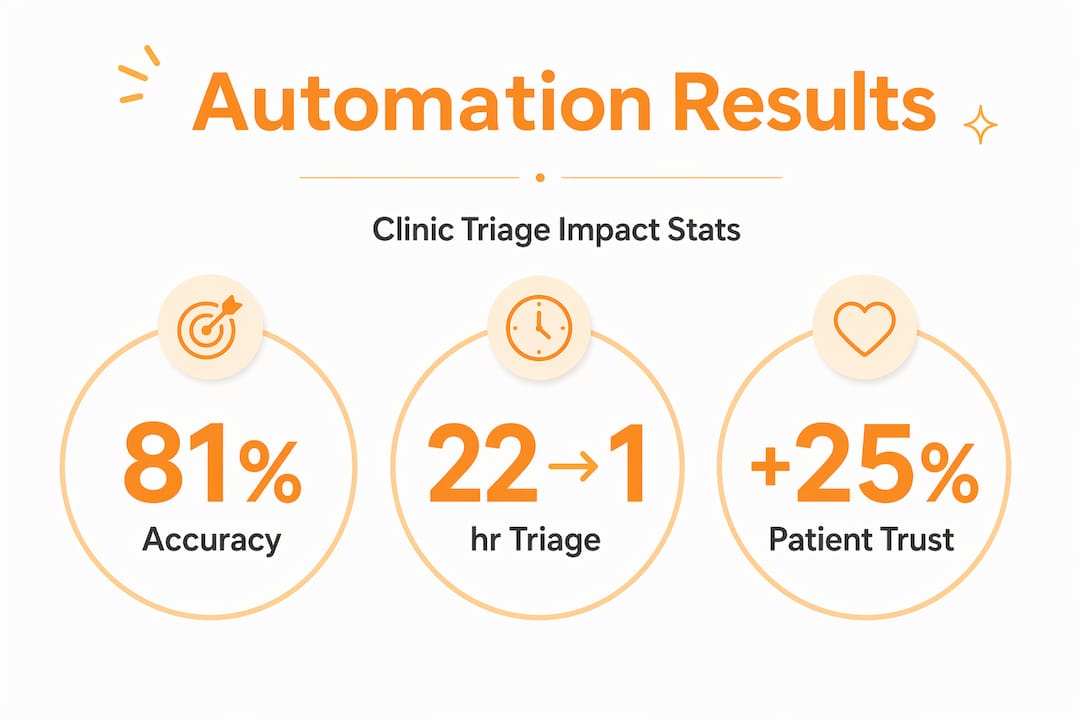
Beyond speed, the downstream effects on staff are significant. When AI handles routine questions automatically, front-desk staff spend less time triaging texts and more time on tasks that require human judgment. AI triage reduces front-desk workload by instantly answering routine questions and focusing clinical staff on the cases that actually need them. Burnout driven by after-hours inbox monitoring drops when staff know the system is watching and will escalate what matters.
Patient trust improves too. A patient who texts at 11 PM and gets an immediate, clear response, even an automated one that says “we received your message, here’s what to do if this is an emergency, and a clinician will review your message by 8 AM,” feels cared for. That experience is categorically different from silence.
| Metric | Before Automation | After Automation |
|---|---|---|
| Median time-to-first-read (urgent) | 22 hours | 5 hours |
| Routine message handling | Manual, staff-dependent | Automated, instant |
| After-hours patient response | None or delayed | Immediate auto-reply with escalation |
| Clinician alert speed | Dependent on inbox monitoring | Under 60 seconds via escalation workflow |
| Staff after-hours burden | High | Reduced to escalated cases only |
The compliance benefit is real but often underestimated. When every urgent message triggers a documented escalation with timestamps, you have an audit trail. That trail protects the clinic in the event of an adverse outcome and demonstrates that your protocols were followed.
My take on balancing automation and human oversight
I’ve spent time working with clinic operators who approached text automation with two opposite failure modes. The first group automated everything and assumed the system would handle it. The second group got so worried about liability that they never deployed anything meaningful and kept drowning in manual triage.
Here’s what I’ve learned: the clinics that get this right treat the AI like a well-trained triage nurse, not a replacement physician. The AI reads every message, sorts by urgency, sends the right acknowledgment, and gets the right person notified fast. The clinician makes every clinical decision. That division of labor is the whole game.
What I’ve also found is that the operational goal-setting step gets skipped more often than any other. Clinics deploy automation without defining what success looks like. Then, three months in, no one knows if the system is working. Set your SLAs before you go live. Defining measurable outcomes like read time and classification accuracy is what separates a system that improves over time from one that quietly drifts.
My practical advice for clinic managers: run a 90-day review cycle, get clinician feedback on escalation quality, and treat your keyword library as a living document. The system gets smarter every time you update it based on real cases. That compounding improvement is where the real long-term value lives.
— Adam
How Pulp AI Studio helps clinics respond after hours
If you manage a clinic and the after-hours inbox is still a manual problem, the setup time is shorter than you think.
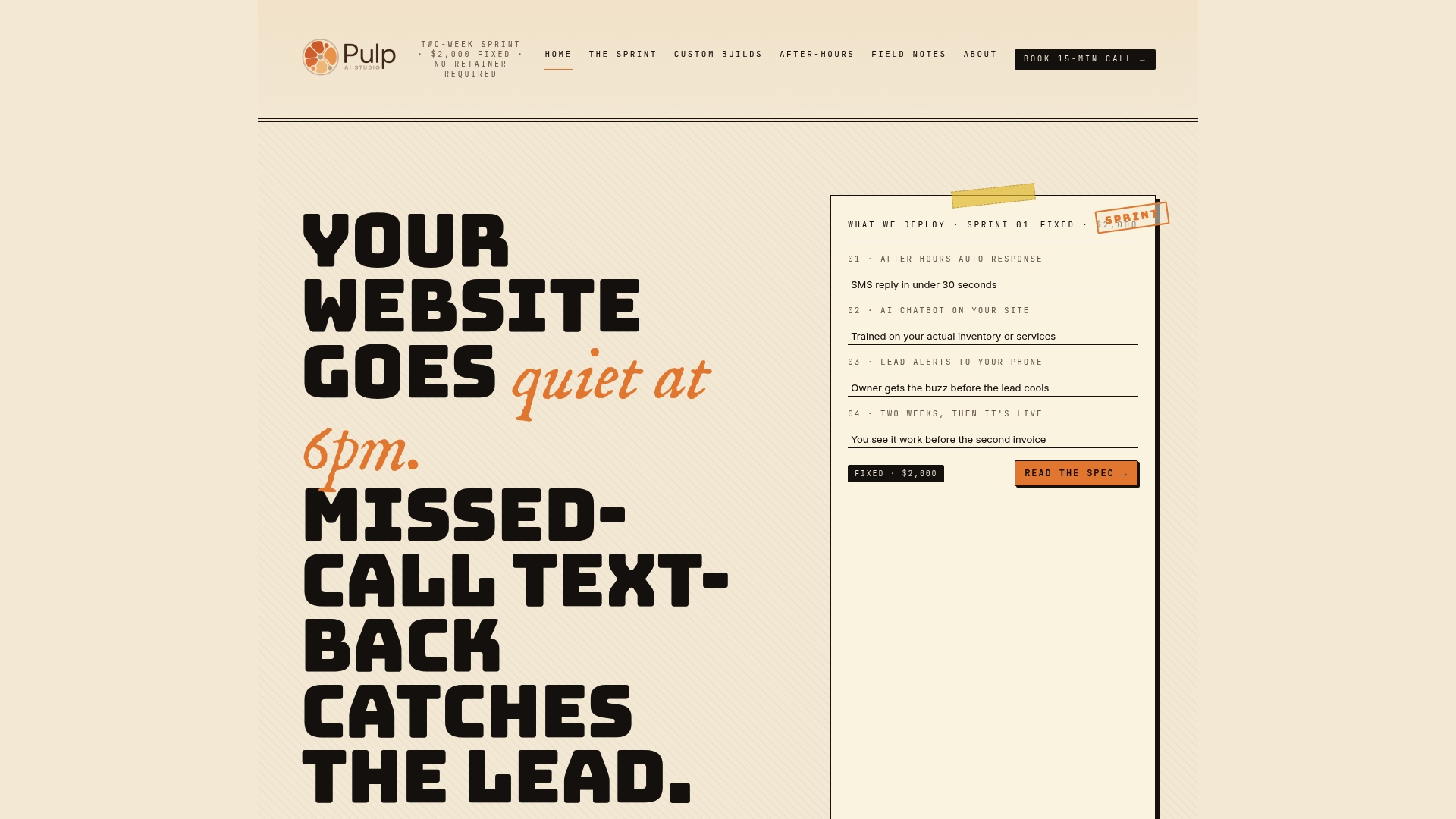
Pulp AI Studio builds AI auto-reply systems that fire within 30 seconds of a missed call or text, giving patients an immediate response with the right information and escalation path. The after-hours answering service runs as a scoped build you own, and the full setup deploys in two weeks. For clinics that need a more tailored solution, Pulp AI Studio also builds custom AI chatbots configured to your specific urgency criteria, patient population, and escalation protocols. Over 300 deployments. No ghosted patients. No missed urgent texts sitting unread until morning.
FAQ
What does it mean to handle urgent patient texts automatically?
It means using AI-powered software to detect urgency signals in incoming patient texts, send immediate acknowledgments, and escalate high-acuity messages to clinicians without manual inbox monitoring.
How accurate is AI triage for urgent patient messages?
Studies analyzing over 3 million patient portal messages found 81% classification accuracy, with median time-to-first-read for urgent messages dropping from 22 hours to 5 hours after automation was deployed.
What must after-hours automated texts include?
Every after-hours auto-reply must include a clear emergency disclaimer directing patients to call 911 or go to the ER for life-threatening symptoms, plus a stated timeframe for when staff will review the message.
Is automated patient texting HIPAA compliant?
It can be, provided you use a platform that encrypts messages in transit and at rest, maintains audit logs, and supports patient consent workflows. Compliance depends on the platform you choose, not automation itself.
How long does it take to set up automated urgent text handling?
With the right platform and pre-defined escalation criteria, a basic system can be live in two weeks. More complex configurations with custom AI triage rules may take four to six weeks, depending on clinical review cycles.
Recommended
- AI Receptionist for Dentist Offices, The Missed-Call Math · Pulp AI Studio
- AI Receptionist for Plumbers, Emergency Triage That Books · Pulp AI Studio
- Missed Call Text Back, 30-Second AI Auto-Reply · Pulp AI Studio
- AI Receptionist for HVAC, No-Heat, No-AC, No Voicemail · Pulp AI Studio
Article generated by BabyLoveGrowth