
 Adam Pichardo
TL;DR:
- AI-powered customer service uses Large Language Models, data retrieval, and API integration to autonomously resolve complex customer inquiries and execute multi-step workflows. Unlike scripted chatbots, AI agents reason across conversations, handle live data, and escalate with full context, transforming support into a scalable, cost-efficient operation. Successful implementation requires workflow redesign, knowledge grounding, and continuous monitoring to ensure genuine resolution and customer satisfaction.
AI-powered customer service is defined as a technology layer that combines Large Language Models (LLMs), retrieval-augmented generation (RAG), and API integrations to autonomously resolve customer inquiries, execute multi-step workflows, and escalate complex issues to human agents. This is not a fancier version of the old FAQ bot. It is a fundamentally different class of software. Platforms like Salesforce, Intercom, and Zendesk now deploy AI agents that read intent, pull live data from CRMs, and complete tasks like refunds or appointment rescheduling inside a single conversation. Gartner projects an $80 billion reduction in global contact center labor costs in 2026 due to AI agents. That number signals a structural shift, not an incremental upgrade.
What is an AI-powered customer service system, exactly?
The industry term for this technology is “AI customer service agent,” and it differs from the scripted chatbots most businesses remember from 2018. Here is the way to think about it: a traditional chatbot is a decision tree wearing a chat interface. An AI agent is closer to a reasoning employee who reads your knowledge base, checks your CRM, and takes action.

Modern AI agents combine LLMs, RAG, and API tool calls to resolve customer issues end-to-end. LLMs handle language understanding. RAG pulls accurate, live information from your internal documents and databases, which prevents the agent from fabricating answers. API tool calls let the agent actually do things, like process a return or update an account, rather than just describe how to do them.
The result is a system that can handle the full arc of a customer interaction. A customer asks about a delayed shipment. The agent checks the order management system, finds the tracking status, identifies the delay reason, and either resolves it or escalates with full context attached. No ticket queue. No hold music. No human needed for that tier of request.
This is why the phrase “automated customer service solutions” no longer captures what these systems do. Automation implies repetition. AI agents imply reasoning. The distinction matters when you are deciding what to build.
How does AI-powered customer service work?
The mechanics break into four layers, and understanding each one helps you ask better questions when evaluating vendors.
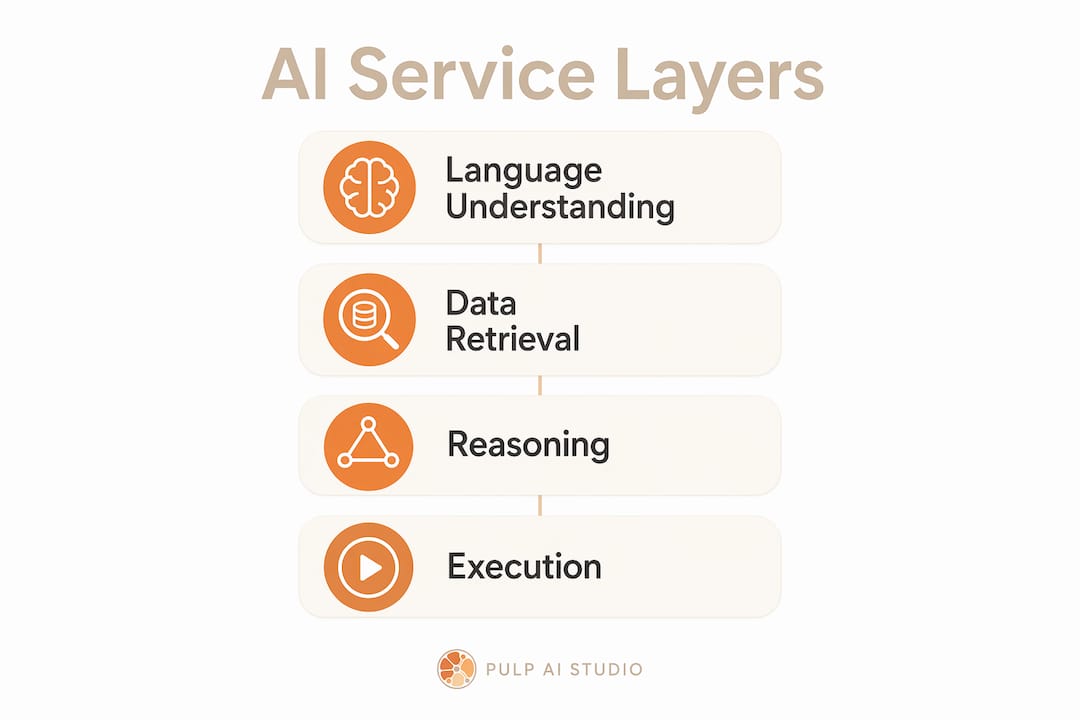
Layer 1: Natural language understanding. The AI reads what the customer types or says, identifies the intent behind it, and classifies the request. This works across paraphrasing, typos, and multi-language inputs. A customer writing “my order is messed up” and another writing “I received the wrong item” both route to the same resolution workflow.
Layer 2: Data retrieval. AI agents use RAG to pull live data from internal documents and CRM systems, avoiding hallucinations and enabling accurate, contextual answers. This is the piece most legacy chatbots lack entirely. Without grounding in real data, the bot either gives generic answers or makes things up.
Layer 3: Workflow execution. This is where AI agents separate themselves from everything that came before. AI agents execute multi-step workflows such as refunds, account updates, and appointment re-bookings, completing all steps in one conversation. The agent does not hand you a link. It completes the task.
Layer 4: Escalation with context. When a request exceeds the agent’s resolution scope, it hands off to a human agent with the full conversation history, customer data, and a summary of what was attempted. The human picks up mid-conversation, not from scratch.
- Intent recognition across languages and phrasing variants
- Live data retrieval from knowledge bases, CRMs, and order systems
- Task execution via API calls (refunds, bookings, account changes)
- Intelligent escalation with full context transfer to human agents
- Continuous learning from resolved and unresolved interactions
Pro Tip: When evaluating AI customer support tools, ask vendors specifically how their system handles a request it cannot resolve. The escalation design tells you more about system maturity than the demo ever will.
The difference between AI agents and traditional chatbots comes down to reasoning versus scripting. A scripted bot breaks the moment a customer goes off-script. An AI agent comprehends intent across multi-turn conversations and can perform tool calls. That reasoning ability is what makes AI-driven customer support a genuine operational upgrade rather than a cosmetic one.
What are the key benefits of AI in customer service?
The financial case is stark. AI-powered support resolves common inquiries 12x cheaper than human agents, at $0.62 versus $7.40 per ticket. At scale, that cost differential does not just reduce overhead. It changes what is economically possible in customer support. A business that previously could not afford 24/7 coverage can now run it at a fraction of the cost.
Scalability is the second major advantage. Klarna’s AI deployment matched 700 full-time agents’ volume in one month, enabling a 300% increase in customer demand management without adding staff. That is not a marginal gain. It is a different operating model entirely.
“AI-powered support shifts customer service from cost center to growth driver by enabling higher-value human work and better customer experience at scale.” — Zendesk
The productivity gains extend to human agents as well. AI-assisted agents resolve 14% more issues per hour and show 9% lower handling time. This happens because AI handles the repetitive tier of requests, leaving human agents to focus on the interactions that actually require judgment, empathy, and relationship management.
| Benefit | What it means in practice |
|---|---|
| Cost per ticket drops from $7.40 to $0.62 | Routine inquiries become economically trivial to resolve at scale |
| 300% more demand handled without new hires | Growth no longer requires proportional headcount increases |
| 14% more issues resolved per agent hour | Human agents become more productive, not redundant |
| 24/7 availability without shift premiums | Customers get answers at 2 a.m. without overtime costs |
| Multilingual support from a single system | Consistent service quality across markets without specialist hiring |
87% of teams with mature AI deployments report improved support metrics, compared to 62% overall. The gap between mature and early-stage deployments is significant, which means the businesses that invest in proper implementation now will hold a measurable advantage over those that treat AI as an experiment. You can see this pattern play out across sectors, from clinic operations to retail, where AI is already changing response expectations.
How does AI compare to traditional customer support methods?
Most businesses currently operate somewhere on a spectrum between three models: rule-based chatbots, human-only support, and hybrid AI-human systems. Each has a different cost profile, capability ceiling, and customer experience outcome.
Rule-based chatbots are rigid by design. They follow decision trees and fail the moment a customer’s phrasing does not match a programmed trigger. They are cheap to deploy and expensive in customer satisfaction terms. The core distinction between early chatbots and AI agents is reasoning ability versus scripting. One comprehends. The other pattern-matches.
Human-only support scales linearly with cost. Every additional 1,000 tickets per day requires more agents, more training, more management overhead, and more scheduling complexity. Quality also varies by agent, shift, and mood. Consistency is structurally difficult to achieve.
| Capability | Rule-based chatbot | Human-only support | AI agent |
|---|---|---|---|
| Handles off-script requests | No | Yes | Yes |
| Available 24/7 | Yes | No (without shift cost) | Yes |
| Executes multi-step tasks | No | Yes | Yes |
| Consistent quality at scale | Yes (but limited) | No | Yes |
| Cost per ticket | Low | High ($7.40+) | Very low ($0.62) |
| Handles complex empathy cases | No | Yes | Partial (escalates) |
The hybrid model is where most mature deployments land. AI does not replace humans but elevates them by handling routine tasks and freeing agents for high-empathy, strategic interactions. This is the honest answer to the “will AI replace my support team” question. It will not. It will change what that team spends its time doing.
Pro Tip: The biggest misconception managers carry into AI adoption is that they are choosing between AI and humans. The actual choice is between AI-augmented humans and unaugmented humans. The latter is the more expensive option.
One common pitfall is deploying AI as a deflection tool rather than a resolution tool. The shift from deflection to resolution is critical. Effective AI agents confirm issue resolution rather than hide unresolved problems behind a closed ticket. If your AI is just pushing customers away from human agents without solving their problems, you have built a frustration machine, not a support system. Tracking resolution rate, not just deflection rate, is how you tell the difference.
How can businesses implement AI customer service successfully?
Implementation is where most AI projects either deliver or disappoint. The technology is rarely the problem. The workflow design is.
-
Redesign workflows around AI first. Treating AI as a bolt-on tool is a major pitfall for managers. The businesses that see the biggest gains rebuild their support processes with AI as the primary handler, not an add-on layer sitting in front of a human queue. This means mapping every ticket type, identifying which ones AI can own fully, and designing the human role around what remains.
-
Train the AI on your actual knowledge base. Generic AI models do not know your return policy, your product catalog, or your escalation rules. Feed the system your internal documentation, your FAQ content, and your policy documents. The quality of the AI’s answers is directly proportional to the quality of the knowledge it can retrieve.
-
Define escalation rules before launch. Decide in advance which request types always go to a human. High-value complaints, legal matters, and emotionally charged situations should have clear routing rules. Ambiguity in escalation design creates bad customer experiences and frustrated agents.
-
Monitor with data, not intuition. Continuous monitoring and refinement of AI performance with data insights dashboards enable operational pain point identification and ongoing improvement. Declan Ivory of Intercom describes successful AI adoption as a continuous discipline, not a one-time install. Build a review cadence into your operations from day one.
-
Invest in conversation design. The words the AI uses, the tone it takes, and the structure of its responses are not cosmetic decisions. They directly affect resolution rates and customer satisfaction scores. Conversation designers are a real role, and their work is measurable.
Pro Tip: Modern platforms enable managers to configure resolution playbooks and automate workflows without coding. You do not need an engineering team to get started. You need clear documentation of your existing support processes.
The businesses that implement AI customer support well share one characteristic: they treat it as an ongoing operation, not a project with a go-live date. The AI improves as it handles more interactions, but only if someone is reviewing the data and making adjustments. Think of it as managing a new employee who learns fast but needs feedback to get better.
Key takeaways
AI-powered customer service delivers measurable cost, speed, and quality advantages when deployed with proper workflow design, knowledge grounding, and continuous monitoring.
| Point | Details |
|---|---|
| AI agents vs. chatbots | AI agents reason and execute tasks; chatbots follow scripts and break off-script. |
| Cost efficiency | AI resolves tickets at $0.62 versus $7.40 for human agents, a 12x cost reduction. |
| Scalability without headcount | Mature deployments handle 300% more demand without proportional staff increases. |
| Implementation priority | Redesign workflows around AI first; bolt-on deployment consistently underperforms. |
| Resolution over deflection | Measure resolution rate, not deflection rate, to confirm the system is actually helping customers. |
What I have seen that most articles get wrong about AI in customer service
I have watched a lot of businesses approach AI customer service the same way they approached their first website: get something live, declare victory, and move on. That approach worked for websites in 2005. It does not work for AI agents in 2026.
The metric that exposes this mistake is resolution rate. Most early deployments optimize for deflection, meaning the AI closes tickets without a human touching them. That sounds good until you realize that “closed” and “resolved” are not the same thing. A customer who got a non-answer and gave up is a closed ticket. They are also a lost customer. The shift from deflection to true resolution is the single most important conceptual upgrade a manager can make before deploying AI.
The second thing I see consistently underestimated is knowledge base quality. Businesses spend weeks evaluating AI platforms and hours setting up their knowledge base. The ratio should be reversed. The platform matters less than the quality of what you feed it. An AI agent is only as accurate as the documentation it retrieves from. Garbage in, hallucinations out.
What actually works is treating AI adoption as a team sport. Your support agents know which questions break the bot. Your customers tell you through their follow-up calls. Your data shows you where resolution drops off. The businesses gaining competitive advantage right now are the ones building feedback loops between those three sources and using them to improve the system weekly, not quarterly. AI-powered support is not a technology decision. It is an operational discipline.
— Adam
A Plan Run for You, Not Another Tool to Run
Most owners did not lose the lead because a tool was missing. They lost it because nobody had time to run the tool. So we run it for you: a hosted CRM with the AI already wired in, set up and managed for your shop, live in about two weeks, and priced in the same range as the do-it-yourself AI receptionist plans, at one flat monthly price. The pieces most shops start with:
- Voice AI receptionist. Answers, qualifies, and books onto your calendar day or night, connected to the CRM or field software you already use, and hands the call to a person when it needs one. See the after-hours answering service.
- Speed to lead. A new form fill, ad lead, or missed call gets a text back right away, while the customer is still shopping. More on why the first few minutes decide the job.
- Database reactivation. The old leads and past customers already sitting in your system get a conversational text campaign that books the ones who are ready now. Related: why leads go quiet and how to restart them.
- AI social replies. Facebook and Instagram comments and DMs get answered and routed instead of sitting unread until Monday. The AI chatbot guide covers how those replies work.
Your contacts, your conversation history, and your phone number stay yours to export or port out if you leave. For shops that want the whole system on hardware they own, prompts, logs, and models included, the custom build below is the step up (about 30 days, since there is hardware to set up). Most shops start managed and grow into a rig, not the other way around.
How Pulp AI Studio can get your AI support running in two weeks
If you run a small business, a clinic, a retail operation, or a contracting firm, the gap between “understanding AI customer service” and “having it live” does not have to be months. The managed setup above is live in about two weeks, and we run it for you. A missed-call text-back system alone recovers leads that get lost simply because no one answers after hours. For businesses that want it on hardware they own, we also build custom AI chatbots and auto-reply systems as a scoped build, live in about 30 days. You own the rig, with an optional managed plan if you want it run for you. If you want to see what a 30-second AI auto-reply looks like for your specific business type, that is the place to start.
FAQ
What is an AI customer service agent?
An AI customer service agent is software that combines LLMs, RAG, and API integrations to autonomously understand customer requests, retrieve accurate information, and complete tasks like refunds or account updates within a single conversation.
How do AI chatbots differ from AI agents?
Traditional chatbots follow scripted decision trees and fail when customers go off-script. AI agents reason through intent, pull live data, and execute multi-step workflows, making them capable of resolving complex requests without human intervention.
What are the main benefits of AI in customer service?
The primary benefits include a cost reduction from $7.40 to $0.62 per ticket, 24/7 availability, the ability to handle 300% more demand without adding staff, and improved human agent productivity through routine task offloading.
Will AI replace my customer support team?
No. AI elevates human agents by handling routine inquiries, freeing your team for high-empathy and complex interactions that require judgment and relationship management. The result is a more productive team, not a smaller one.
How long does it take to implement AI customer service?
Implementation timelines vary by platform and complexity, but modern no-code platforms allow basic AI support configurations in days. Full workflow integration with CRM and knowledge base grounding typically takes two to four weeks for small to mid-sized businesses.