
 Adam Pichardo
TL;DR:
- Mini PCs for AI are compact workstations equipped with high-performance CPUs, NPUs, and unified memory systems for local processing. They outperform standard mini PCs by handling large models efficiently, especially with sufficient RAM and thermal design. These machines are essential for privacy, cost reduction, and real-time AI workloads in various industries.
A mini PC for AI is a compact desktop computer built to run resource-intensive AI workloads locally, using high-performance CPUs, integrated Neural Processing Units (NPUs), and large unified memory systems. The industry term for this category is “compact AI workstation,” and it describes machines that fit on a desk yet deliver processing power once reserved for full-sized towers. Developers and AI enthusiasts are choosing these machines because they keep data on-device, cut cloud costs, and eliminate the latency that remote inference creates. Processors like the AMD Ryzen AI Max+ 395 and Intel Core Ultra 7 356H now make it possible to run 70B+ parameter models on hardware smaller than a gaming console. If you are building local AI pipelines, fine-tuning models, or running private inference servers, the right compact AI workstation changes what is possible at your desk.
What makes a mini PC for AI different from a standard mini PC?
A standard mini PC handles office tasks, media playback, and light development work. An AI-optimized mini PC adds three hardware layers that standard machines lack: a dedicated NPU for matrix math, a high-bandwidth unified memory pool, and a thermal system rated for sustained compute loads.
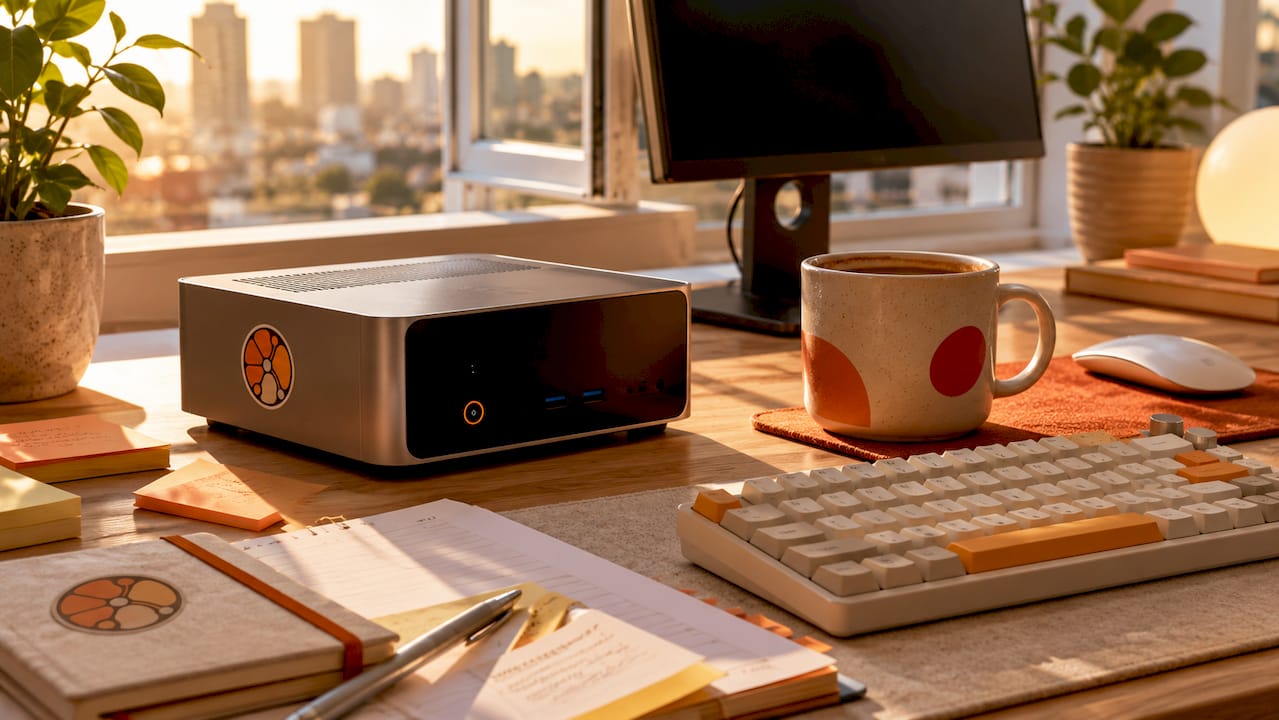
The NPU is the clearest differentiator. Standard mini PCs route AI inference through the CPU, which is slow and power-hungry for this task. An NPU handles tensor operations in parallel, freeing the CPU for other work. The AMD Ryzen AI Max+ 395 carries a 50 TOPS NPU, which means it can process 50 trillion AI operations per second. That figure translates directly into faster token generation when running large language models locally.
Memory architecture is the second major difference. Standard mini PCs use separate pools for CPU and GPU memory. AI workstations use unified memory, where CPU, GPU, and NPU all draw from the same high-bandwidth RAM. Unified memory architecture prevents the performance loss that comes from moving datasets between discrete processors. That bottleneck removal is why memory bandwidth often matters more than raw GPU speed for local LLM inference.
Core hardware components that define AI mini PCs
Processors: CPU, NPU, and GPU working together
The processor trio determines everything else. The CPU handles general computation and model orchestration. The NPU accelerates matrix multiplication, which is the core operation in transformer-based AI models. The GPU handles parallel rendering and can assist with inference when the NPU is saturated. The best mini computer for AI balances all three rather than maximizing one at the expense of the others.
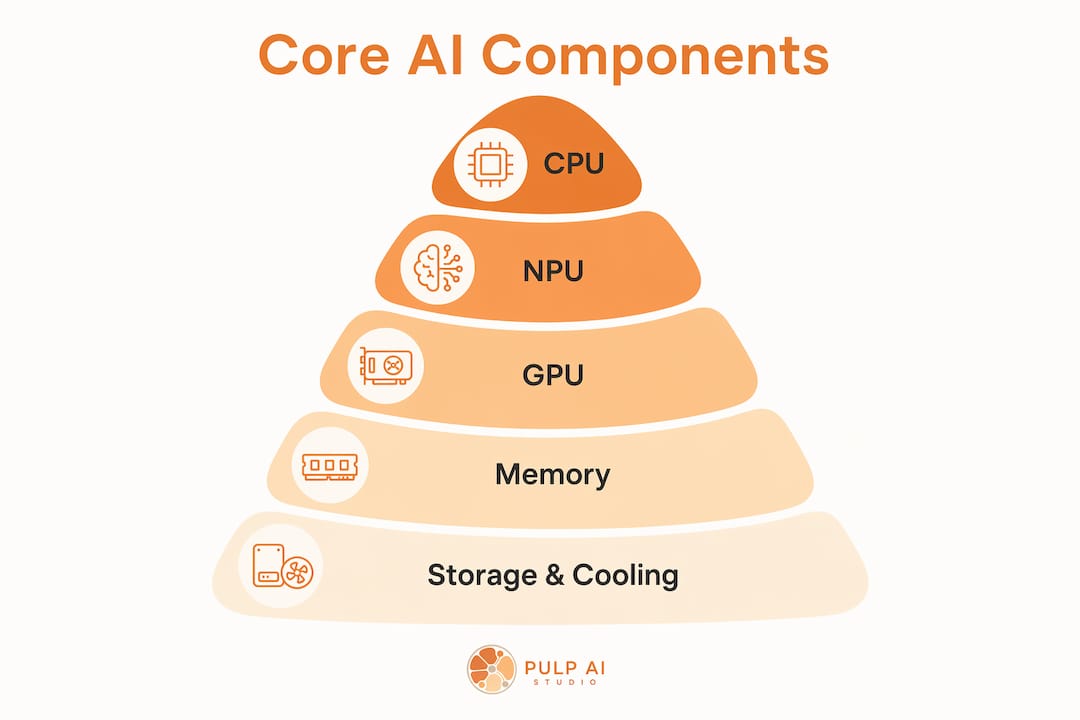
The AMD Ryzen AI Max+ 395 runs 16 cores at up to 5.1 GHz and pairs that CPU with a 50 TOPS NPU. The Intel Core Ultra 7 356H takes a different approach, combining a 50 TOPS NPU with a 40 TOPS integrated GPU for a combined 90 TOPS AI power figure. Both architectures work well for inference. The AMD platform edges ahead for very large models because of its memory ceiling. The Intel platform delivers faster token speeds on mid-sized quantized models.
HX series processors remain the benchmark for sustained AI workloads because they carry more thermal and power headroom than standard-wattage chips. A processor rated for 45W or more can maintain peak clock speeds under continuous inference loads. Lower-wattage chips throttle within minutes of starting a demanding task.
Memory: why 96GB to 128GB is the new floor
Memory capacity is the single most important spec for running large language models locally. 96GB to 128GB of memory is the practical minimum for 70B+ parameter models. A 70B model in 4-bit quantization requires roughly 40GB of memory just to load. Add the operating system, inference framework, and context window, and 64GB becomes a ceiling that blocks the most capable open-source models entirely.
Flagship mini PCs now ship with 128GB of unified DDR5 RAM. That capacity lets developers run Llama 3 70B, Qwen3 72B, and similar models without quantization compromises that degrade output quality. Mid-range machines at 64GB handle models up to 34B parameters comfortably. Entry-level machines at 32GB work well for 7B to 13B models, which still cover most practical coding assistant and summarization tasks.
Storage and cooling
Fast NVMe SSD storage matters more for AI than most developers expect. Loading a 40GB model file from a slow drive adds 30–60 seconds to every cold start. A PCIe Gen 4 NVMe drive cuts that to under 10 seconds. Dual M.2 slots, which appear on several current flagship models, let you keep your OS and your model library on separate drives for cleaner performance.
Thermal design is where many affordable AI mini PCs fail. Thermal throttling is a common bottleneck in compact enclosures running sustained inference tasks, even when CPU and NPU specs look strong on paper. A machine rated for professional workstation use needs active cooling with a heat pipe system and adequate airflow. Before buying, check whether the manufacturer publishes sustained TDP figures, not just peak TDP.
Pro Tip: Run a stress test like Prime95 or AIDA64 for 30 minutes on any mini PC before committing it to AI workloads. If clock speeds drop more than 15% from peak, the cooling system will limit your inference performance under real conditions.
How do AI mini PCs perform with large language models?
Performance on large language models is measured in tokens per second. A token is roughly three-quarters of a word, so 10 tokens per second produces readable text at about 450 words per minute. That is fast enough for interactive use. Below 5 tokens per second, responses feel sluggish for chat applications, though batch processing tasks tolerate lower speeds.
The AMD Ryzen AI Max+ 395 in a 128GB configuration runs Qwen3:235B at approximately 11 tokens per second. That is a 235 billion parameter model running entirely on local hardware the size of a thick hardcover book. The Intel Core Ultra 7 356H platform achieves 22.1 tokens per second on Qwen3.5-35B-A3B with 128GB DDR5 RAM. The Intel result is faster because the model is smaller and the combined GPU+NPU architecture handles quantized inference efficiently.
Performance and price tiers at a glance
| Tier | RAM | Example processor | Approx. price | Best model size |
|---|---|---|---|---|
| Entry | 32GB | Intel Core Ultra 5 | ~$609 | 7B–13B parameters |
| Mid | 64GB | Intel Core Ultra 7 | ~$1,200 | 14B–34B parameters |
| Flagship | 128GB | AMD Ryzen AI Max+ 395 | $2,349–$3,299 | 70B–235B parameters |
Entry-level machines start at $609 and handle practical AI tasks like local coding assistants and document summarization. Flagship configurations at $2,349 to $3,299 run the largest open-source models available today. The mid tier offers the best value for most developers who work with models in the 14B to 34B range.
NPU TOPS ratings influence inference speed, but memory bandwidth is the actual ceiling. A machine with a high TOPS rating but slow or insufficient RAM will underperform a machine with a lower TOPS rating and fast unified memory. Always check memory bandwidth specifications alongside TOPS figures when comparing mini PCs for data processing tasks.
How to choose the right mini PC for AI
Matching hardware to your actual workload saves money and prevents frustration. The three most common AI workload types each have different hardware priorities.
-
Local inference and chat. Running a local assistant like Ollama with Llama 3 or Mistral requires at least 32GB of unified memory and a capable NPU. An entry-level machine handles this well. You do not need 128GB for a 7B model. Spend the savings on a faster NVMe drive instead.
-
Model development and fine-tuning. Fine-tuning even a small model requires more memory than inference alone. A 7B model fine-tuned with LoRA needs 24GB minimum, and 64GB gives you room to experiment with larger datasets. The mid-tier machines at 64GB are the practical floor for this workload type.
-
Multi-model and agent workflows. Running multiple models simultaneously, or building AI agent pipelines where several models pass data between each other, requires 96GB or more. This is the use case that justifies flagship pricing. If you are building a local AI agent system for a small business or development environment, the 128GB tier is the right starting point.
Practical budget guidance
The entry tier at around $609 suits hobbyists, students, and developers who want to experiment with open-source models without a large investment. The mid tier around $1,200 suits professional developers who run inference daily and need reliable performance on models up to 34B parameters. The flagship tier at $2,349 to $3,299 suits teams building production AI pipelines, researchers working with frontier open-source models, or businesses that need private, on-device inference for sensitive data.
Upgradeability is worth checking before you buy. Some compact AI workstations use tool-less designs that let you swap RAM and SSDs without opening the chassis with a screwdriver. Others solder memory to the board, making upgrades impossible. If you expect your workload to grow, prioritize machines with socketed RAM even if the initial configuration costs slightly more.
Pro Tip: Before finalizing a purchase, confirm that the chassis supports your region’s power requirements and that the manufacturer offers a warranty of at least one year. AI workloads run hardware harder than typical office use, and thermal stress accelerates component wear.
What trends are shaping the future of AI-capable mini computers?
The most significant shift in AI hardware is the move from cloud to local processing. Local AI computing is becoming privacy-centric, with edge devices replacing cloud APIs for sensitive or latency-critical applications. Healthcare, legal, and financial developers are driving this shift because they cannot send client data to third-party servers. A compact AI workstation that runs inference locally solves that compliance problem entirely.
“The mini PC market is shifting from cloud to local AI computing, with increasing demand for privacy-focused, always-on hardware that matches gaming console footprints but delivers professional-grade compute.” — TechPowerUp, 2025
Unified memory capacity is climbing fast. Machines with 128GB were rare in 2024. By late 2025, multiple manufacturers shipped 128GB configurations as standard flagship options. The next wave will likely push to 192GB and beyond, which would make 405B parameter models viable on desktop hardware. Integrated AI accelerators are also improving faster than CPU cores, meaning NPU TOPS ratings will double within two product generations.
Supply chain pressure is real. Demand for efficient, always-on AI hardware has created shortages in the compact AI workstation category. Developers who want a specific configuration should order early rather than waiting for prices to drop. The market is moving toward higher specs, not lower prices, in the near term. For developers building AI-powered workflows, understanding AI-powered network management alongside local inference hardware gives a more complete picture of where enterprise AI infrastructure is heading.
Key Takeaways
Choosing the right compact AI workstation requires matching memory capacity, processor architecture, and thermal design to your specific AI workload before looking at price.
| Point | Details |
|---|---|
| Memory capacity is the priority | Run 70B+ parameter models locally only on machines with 96GB–128GB of unified memory. |
| NPU TOPS alone is misleading | Memory bandwidth determines real inference speed more reliably than TOPS ratings. |
| Thermal design limits sustained performance | Verify sustained TDP figures before buying; throttling kills inference speed under load. |
| Budget tiers map to model sizes | Entry ($609) handles 7B–13B models; flagship ($2,349–$3,299) handles 70B–235B models. |
| Local AI protects sensitive data | On-device inference eliminates the compliance risk of sending data to cloud APIs. |
Why I think most developers buy the wrong tier
Most developers I talk to buy the entry-level machine first, hit its memory ceiling within three months, and then buy the flagship. They spend more in total than if they had bought the mid-tier machine from the start. The entry tier is genuinely useful for learning and experimentation. But the moment you want to run a model that produces output good enough for a real workflow, 32GB stops you cold.
The other mistake I see constantly is chasing NPU TOPS numbers. A machine with 90 TOPS sounds twice as capable as one with 50 TOPS. In practice, if the 90 TOPS machine has slower memory bandwidth or a smaller memory pool, it will lose to the 50 TOPS machine on every large model benchmark. Memory bandwidth is the unsexy spec that actually determines how fast tokens appear on your screen.
Thermal design gets almost no attention in most reviews, and it is the spec that matters most for sustained workloads. A machine that runs at full speed for 10 minutes and then throttles to 60% is useless for a server that runs inference all day. I always recommend running a sustained load test before committing any machine to production use. The practical deployment considerations for always-on AI hardware are different from what you encounter in a benchmark review.
Buy for your workload in 12 months, not your workload today. AI models are getting larger and more capable every quarter. The machine that handles your current needs comfortably will feel constrained faster than you expect.
— Adam
Pulp AI Studio’s approach to AI that works around the clock
Running a local AI model is one part of the picture. Connecting that AI capability to real business outcomes is the other. Pulp AI Studio builds custom AI chatbot systems for small businesses, clinics, and contractors on a fixed-fee proposal — you own the rig, with an optional managed plan for ongoing support. The setup deploys in two weeks and handles missed calls, after-hours inquiries, and lead capture automatically. Developers who build local inference pipelines often find that pairing on-device AI with a reliable customer-facing layer closes the gap between technical capability and business results.
FAQ
What is the minimum RAM for running AI models locally?
32GB of unified memory handles models up to 13B parameters. Running 70B+ parameter models locally requires 96GB to 128GB of RAM.
Does NPU TOPS rating determine inference speed?
NPU TOPS is one factor, but memory bandwidth and memory capacity have a greater practical impact on tokens-per-second performance for large language models.
What causes thermal throttling in AI mini PCs?
Sustained inference loads push CPUs and NPUs to their thermal limits. Compact enclosures without adequate heat pipe cooling reduce clock speeds automatically to prevent damage, which cuts inference speed significantly.
How much does a capable AI mini PC cost?
Entry-level AI mini PCs start at approximately $609. Flagship configurations with 128GB of memory and AMD Ryzen AI Max+ 395 processors range from $2,349 to $3,299.
Why are developers moving from cloud AI to local mini PCs?
Local inference keeps sensitive data on-device, eliminates per-token API costs, and removes latency from network round-trips. Privacy compliance is the primary driver for healthcare, legal, and financial developers.