
 Adam Pichardo
TL;DR:
- A local AI agent runs AI models on your hardware, keeping user data entirely on-site to ensure privacy. It handles customer inquiries, routes simple questions to quick models, and manages ongoing conversations with persistent memory. Deployment requires technical setup, but it offers small businesses control, privacy, and reliable operation regardless of internet access.
A local AI agent is software that runs AI model inference entirely on your own hardware, keeping every customer file, conversation, and configuration on your premises with zero cloud exposure. For small business owners, that means a system that answers inquiries, qualifies leads, and follows up with prospects at 2 a.m. without sending a single byte of customer data to a third-party server. Tools like LocalAGI, Ollama, and Jarvis have made this practical for non-enterprise budgets. The tradeoff is real setup effort, but the payoff is an AI employee that never clocks out, never leaks data, and never gets more expensive because a cloud vendor changed its pricing.
What is a local AI agent and why does it matter for small business?
A local AI agent is defined as software running model inference and task orchestration on local hardware, storing all files and configurations in restricted directories on your own machine. No data leaves your building. That single fact separates it from every cloud-based AI assistant software on the market.

For a small business, this matters in two concrete ways. First, customer data stays private. A dental clinic, a law office, or a contractor handling home addresses does not want that information sitting on a vendor’s server subject to breach or policy change. Second, the system keeps running even when the internet goes down, because the core logic lives on your hardware.
The industry term for this architecture is “local-first AI” or a “local machine learning agent.” You will also hear “self-hosted AI agent.” All three phrases describe the same thing: the brain is in a box you own, not rented from AWS or Google Cloud.
What hardware and software do local AI agents require?
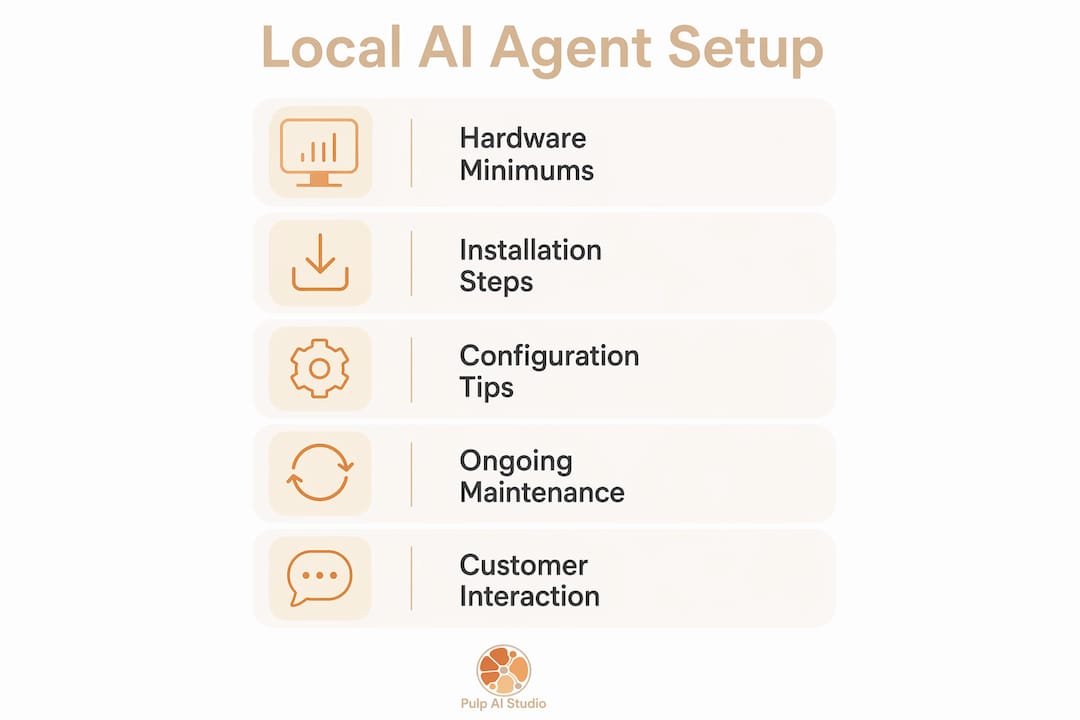
Hardware minimums
Performance depends heavily on your GPU’s video memory. Smooth performance typically requires 12–24GB of VRAM, which puts you in the range of an NVIDIA RTX 3090, RTX 4090, or an Apple Silicon Mac with unified memory. Below 12GB, you can still run quantized models, but response times slow noticeably under load. A mini PC running a local agent 24/7 is a practical and affordable option for shops that cannot justify a full workstation.
Software platforms worth knowing
Four platforms stand out for small business use in 2026:
- LocalAGI runs fully offline on consumer hardware with built-in skills management and no cloud API keys required. It is the most accessible open-source option for owners who want to avoid vendor lock-in.
- Jarvis offers native installers with integrated web UI and bots for Telegram and Discord, making it the easiest to set up for non-technical operators.
- DuckAgent specializes in hybrid local-cloud operation, running core logic on-premise while making selective encrypted API calls for tasks like calendar sync.
- Ollama is a model runner, not a full agent framework, but it serves as the engine underneath many custom setups and supports a wide library of open-weight models.
Installation and setup time
Deployment typically requires CLI commands or Docker, with professional configuration taking 2–4 hours. That estimate covers model download, channel configuration, and sandbox policy setup. If you have never used a terminal, budget more time or hire a technician for the initial install.
Pro Tip: Create a dedicated user account with restricted filesystem permissions before you install any agent software. This prevents the agent from writing outside its designated directories from day one.
How do local AI agents handle customer interactions and lead response?
This is where the technology earns its place in a small business. A well-configured agent does not just answer questions. It routes, remembers, and follows up.
Capability routing: matching the task to the right model
Capability routing directs simple queries to fast lightweight models for sub-second responses and sends complex reasoning tasks to larger, deeper models. In practice, that means a question like “What are your hours?” gets answered in under a second, while a request to draft a custom quote gets handed to a more capable model that takes a few seconds longer. UgoAI’s implementation supports over 30 LLM providers including DeepSeek, Qwen, and Llama within this routing architecture.
How the interaction flow works
Here is the sequence a configured agent follows when a lead contacts your business after hours:
- Receive the message via Telegram, Slack, SMS, or email. Multi-channel support covers all common platforms with proper API configuration.
- Classify the request using the routing layer. Simple FAQs go to the fast model. Booking requests or complaints go to the reasoning model.
- Pull from persistent memory to personalize the reply. If this customer contacted you last week, the agent knows that.
- Execute the task autonomously, whether that means answering, scheduling a callback, or flagging the conversation for human review in the morning.
- Log the interaction to the memory layer so the next conversation starts with context already loaded.
Persistent memory layers retain customer preferences and interaction history over days and weeks. That retention is the real competitive advantage, not the model itself. A customer who mentioned they prefer afternoon appointments will get that preference reflected automatically in every future reply.
Hybrid operation for real-time data
Some tasks require live data that no local model can provide. Hybrid local agents run core logic and memory on-premise but call secure external APIs for specialized tasks like real-time calendar availability or weather-dependent scheduling. Privacy stays intact because only the specific API call leaves the machine, not the full conversation.
Pro Tip: Set your agent to flag any interaction it rates below 80% confidence for human review the next morning. You catch edge cases without slowing down the overnight response flow.
Which local AI agent platform is right for your business?
The table below compares four platforms across the criteria that matter most to small business operators.
| Platform | Setup method | Offline capable | Channel integrations | Best for |
|---|---|---|---|---|
| LocalAGI | CLI or Docker | Yes, fully | Slack, SMS, email | Tech-comfortable owners wanting full control |
| Jarvis | Native installer | Yes, fully | Telegram, Discord, web UI | Non-technical operators wanting quick setup |
| DuckAgent | Docker | Hybrid | Custom API | Businesses needing live data alongside privacy |
| Thoth | CLI | Yes, fully | Custom build required | Developers building custom agent workflows |
LocalAGI is the strongest open-source option for owners who want a skills ecosystem and no recurring fees. Local-first architecture like Thoth’s protects businesses from cloud service shutdowns and unpredictable API price changes, which is a real concern after several major AI providers repriced their APIs sharply in 2024 and 2025. Jarvis wins on ease of installation, which matters if your team has no developer on staff.
Community and commercial support differ significantly. LocalAGI and Ollama have large GitHub communities with active issue trackers. Jarvis and DuckAgent have smaller but responsive maintainer teams. Thoth is more of a developer-first project and assumes comfort with Linux and shell scripting.
One factor that does not show up in feature lists: long-term maintenance effort. Docker-based platforms are easier to update with a single command. Native installers sometimes require manual reinstallation on version upgrades. Factor that into your decision if you are running this without dedicated IT support.
Best practices for deploying and maintaining a local AI agent
Getting the agent running is step one. Keeping it running well is the job that most guides skip.
Define the agent’s identity before it talks to anyone
Setting a clear agent identity maintains consistent brand voice and professional tone in every autonomous reply. Write a short persona document: the agent’s name, its communication style, what it will and will not discuss, and how it escalates to a human. Treat this the same way you would onboard a new front-desk employee.
Operational rules that prevent real damage
- Set strict sandbox policies. Without defined filesystem access policies, autonomous agents risk data corruption or system crashes from recursive loops. Restrict write access to a single working directory.
- Cap memory usage. Set a hard RAM ceiling in your Docker or process config. An agent stuck in a loop will consume all available memory if nothing stops it.
- Schedule model updates monthly. Open-weight models improve fast. A monthly pull keeps your agent’s reasoning current without requiring a full reinstall.
- Back up the memory layer weekly. The persistent memory store is where your customer context lives. Losing it means starting every conversation cold again.
- Test after every update. Run five sample conversations covering your most common inquiry types before pushing an updated agent back into production.
Training the memory layer
Sophisticated local agents use hybrid semantic and keyword search to maintain effective long-term memory without overloading the context window. Seed the memory layer with your existing customer FAQ, your service catalog, and your pricing. The agent learns from live interactions after that, but a pre-loaded knowledge base cuts the cold-start period from weeks to days.
Think of the memory layer as the agent’s institutional knowledge. A new human employee takes months to learn your regulars. A well-seeded AI agent knows them on day one.
Key takeaways
A local AI agent delivers the strongest return when its persistent memory layer is properly seeded and its sandbox policies are locked down before it handles live customer traffic.
| Point | Details |
|---|---|
| Hardware requirement | Plan for 12–24GB of VRAM for smooth multi-model performance. |
| Platform selection | Jarvis suits non-technical setups; LocalAGI suits owners wanting full open-source control. |
| Capability routing | Route simple queries to fast models and complex tasks to reasoning models for speed and accuracy. |
| Persistent memory | Seed the memory layer with your FAQ and service catalog before going live to cut the cold-start period. |
| Sandbox policies | Define filesystem access limits before deployment to prevent data corruption from recursive loops. |
Why I think most small businesses are thinking about this wrong
Here is my honest read after working with over 300 business sites on AI deployment: most small business owners ask the wrong first question. They ask, “Which AI model is the best?” The model is the least important variable. What actually determines whether your AI agent works is the memory layer and the identity definition you give it.
I have seen businesses deploy a top-tier model with no persona document and no seeded memory. The agent gives generic, off-brand replies that confuse customers. Then I have seen a mid-range quantized model running on a $600 mini PC, with a well-written persona and a pre-loaded FAQ, close leads overnight that would have gone cold by morning. The second setup wins every time.
The sovereignty argument also gets undersold. Local-first AI keeps full control in-house, protecting businesses from cloud API pricing swings and outages. That is not a theoretical benefit. Cloud AI pricing shifted multiple times in the past two years. A business that built its customer engagement on a cloud API had to scramble each time. A local deployment did not notice.
The honest challenge is the setup barrier. CLI and Docker are not intuitive for most small business owners. That gap is real, and pretending otherwise does not help anyone. The practical answer is to either invest two to four hours learning the basics or hire someone to do the initial configuration. After that, day-to-day operation is closer to managing a staff member than managing software.
The businesses that will win with this technology are the ones that treat the AI agent as a new hire: give it a name, write its job description, set its boundaries, and check its work for the first few weeks. That mindset produces better outcomes than any model upgrade.
— Adam
How Pulp AI Studio builds this for small businesses
Running a local AI agent in-house is powerful, but the setup barrier stops most small business owners before they see a single result. Pulp AI Studio builds custom AI chatbots for small businesses as a scoped build, deploying a fully functioning system within two weeks. The builds cover missed-call text-back, AI auto-replies, and lead qualification designed to capture prospects during off-hours before they contact a competitor. For clinics and contractors handling sensitive customer data, Pulp AI Studio’s privacy-focused local AI deployment approach keeps all interactions on your hardware. Over 300 deployed sites back that track record.
FAQ
What is a local AI agent?
A local AI agent is software that runs AI models entirely on your own hardware, handling customer interactions and task automation without sending data to cloud servers. It requires 12–24GB of VRAM for smooth performance.
How does a local AI agent handle after-hours leads?
The agent receives messages via Telegram, Slack, SMS, or email, classifies the request, pulls from persistent customer memory, and replies autonomously within seconds. Complex requests get flagged for human review the next morning.
Which platform is easiest to set up for a non-technical owner?
Jarvis offers native installers with an integrated web UI and built-in Telegram and Discord bots, making it the most accessible option for owners without a developer on staff.
What is the biggest risk when deploying a local AI agent?
The most common failure mode is missing sandbox policies. Without defined filesystem access limits, an agent in a recursive loop can corrupt data or crash the system. Set strict write permissions before going live.
Do local AI agents work without internet?
Most local AI agents run fully offline for core tasks. Hybrid platforms like DuckAgent make selective encrypted API calls for real-time data like calendar availability, but the core logic and memory stay on your local machine.