
 Adam Pichardo
TL;DR:
- An AI receptionist answers calls 24/7, handling routine inquiries and booking appointments automatically. It costs significantly less than a human, with setup requiring careful configuration of FAQs, booking rules, and escalation triggers. Proper implementation enables revenue recovery by capturing calls that would otherwise be missed or go to voicemail.
An AI receptionist is an AI-driven voice agent that answers inbound calls 24/7, handles routine inquiries, books appointments, qualifies leads, and routes complex calls to a human without any delay. The industry term for this technology is “conversational AI phone agent,” though “AI receptionist” has become the standard shorthand across small business circles. For small business owners, the stakes are real: 15–40% of leads go to voicemail and never convert. An AI receptionist acts like a front-desk employee who never sleeps, capturing every call whether it comes in at 2:00 PM on a Tuesday or 11:00 PM on a Sunday. We set these systems up specifically for shops, clinics, contractors, and retailers that cannot afford to let a ringing phone become a lost customer.
What tasks can an AI receptionist handle for your business?
An AI receptionist covers the full range of routine call types that consume a human receptionist’s day. AI handles repeated questions, appointment booking, rescheduling, and FAQs, then escalates when judgment or emotional intelligence is required. That division of labor is the core design principle behind every well-built system.
Routine tasks the AI manages independently
- Hours and location: Answering “What time do you close?” or “Where are you located?” with no hold time
- Pricing and services: Quoting standard rates, describing service packages, and directing callers to the right option
- Appointment booking: Checking real-time calendar availability and confirming slots directly with the caller
- Rescheduling and reminders: Moving existing appointments and triggering SMS confirmations automatically
- Lead qualification: Asking structured screening questions and logging responses to your CRM
AI receptionists answer instantly with no hold time or menu navigation, which is a direct improvement over traditional phone trees and voicemail. Callers who reach a voice that responds immediately are far more likely to book than callers who hear a recording.
When the AI hands off to a human

The system escalates based on specific triggers, not guesswork. A well-configured AI recognizes when a caller is frustrated, when the question falls outside its knowledge base, or when a legal or medical situation requires a licensed professional. Good escalation logic uses keyword detection, caller tone signals, and intent classification to decide when to transfer. Without clear handoff rules, the AI risks looping callers through dead ends.
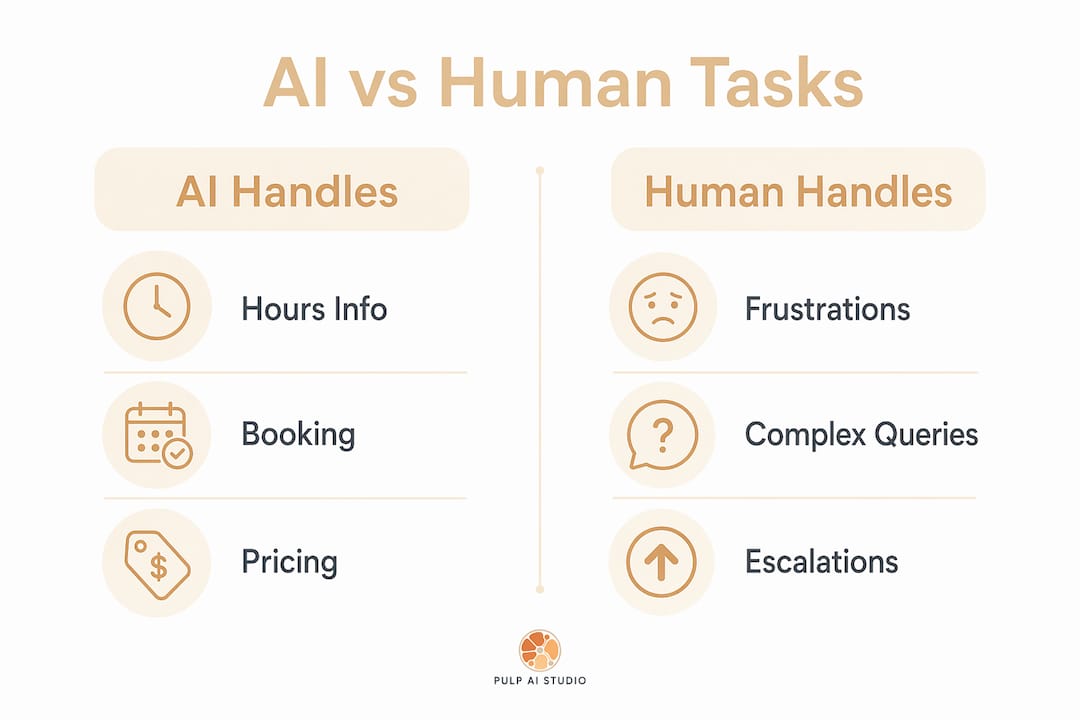
| Situation | AI handles | Human handles |
|---|---|---|
| Hours, location, pricing | ✓ | |
| Appointment booking | ✓ | |
| Rescheduling and reminders | ✓ | |
| Lead qualification screening | ✓ | |
| Emotional or distressed caller | ✓ | |
| Complex legal or medical question | ✓ | |
| Walk-in or in-person request | ✓ | |
| Information not in knowledge base | ✓ |
Pro Tip: Write your escalation rules before you configure anything else. Define the exact phrases or situations that trigger a transfer, and test them with real call scenarios before going live.
How does the cost compare to hiring a human receptionist?
The cost difference between an AI phone answering system and a full-time human receptionist is not marginal. AI receptionists cost $300–$6,000 annually, compared to $51,000–$69,000 per year for a human receptionist including salary, payroll taxes, and benefits. That is a savings of 93–97% on the labor line alone.
Breaking down the real cost of a human receptionist
The salary figure is only the starting point. Add employer payroll taxes, health insurance contributions, paid time off, and the cost of recruiting and training a replacement when someone leaves. Turnover in front-desk roles is high, and every gap in coverage means missed calls. A human receptionist also works roughly 40 hours per week, which means 76% of the week goes uncovered. After-hours calls go to voicemail. Weekend inquiries wait until Monday.
AI pricing tiers and what you get
Monthly AI costs range from $25–$75 for basic plans, $75–$200 for standard plans with integrations, and $200–$300+ for full-featured deployments with CRM connectivity and advanced routing. Even the top tier costs less per month than a single day of human labor at median receptionist wages. The AI operates every hour of every day, including holidays, without overtime.
| Cost category | Human receptionist | AI receptionist |
|---|---|---|
| Annual base cost | $35,000–$50,000 | $300–$6,000 |
| Taxes and benefits | $16,000–$19,000 | $0 |
| After-hours coverage | Extra hire or voicemail | Included |
| Turnover and retraining | $3,000–$8,000 per event | $0 |
| Weekly coverage | 40 hours | 168 hours |
For an AI receptionist for real estate or a dental practice, the math becomes even clearer when you factor in the revenue value of a single missed appointment. One recovered booking per week can pay for an entire year of AI service at the basic tier.
What does it take to set up an AI receptionist?
Setup is where most business owners underestimate the work. Realistic configuration takes 4–20 hours of effort across knowledge base creation, integration testing, and call flow design. The “plug-and-play” framing that some vendors use understates what good implementation actually requires. Owners who invest that time upfront get a system that sounds natural and handles calls correctly. Owners who skip it get a glorified phone tree.
A practical setup sequence
-
Collect your core FAQs and policies. Write down every question your front desk answers in a typical week. Allocate 2–3 hours just for this step before touching any software. Vague or incomplete answers here will degrade every caller interaction downstream.
-
Define your booking rules. Specify which appointment types the AI can book, which require human confirmation, and what the cancellation policy is. Connect the system to your scheduling tool, whether that is Google Calendar, Calendly, or a practice management platform.
-
Set escalation triggers. List the exact phrases, topics, or caller behaviors that should route to a human. Include emotional signals like repeated “I need to speak to someone” statements and out-of-scope topics like billing disputes.
-
Integrate your CRM and SMS. Effective AI receptionists connect with scheduling tools, CRMs, and SMS services for booking confirmations and lead logging. Without these connections, you lose the data trail that makes the system valuable.
-
Run test scenarios. Call your own system with the 10 most common questions and 3–5 edge cases. Listen for awkward pauses, wrong answers, or missing escalation triggers. Fix before you go live.
-
Plan for ongoing tuning. Review call logs weekly for the first month. Update the knowledge base when callers ask questions the AI could not answer. The system improves with each update cycle.
Pro Tip: The quality of your business knowledge base matters more than the AI platform you choose. A well-documented FAQ and clear booking policy will outperform a sophisticated AI running on thin information every time.
For an ai receptionist for dentist offices, this setup sequence maps directly onto appointment types, insurance FAQs, and after-hours emergency protocols. The categories are different for a contractor or retailer, but the process is identical.
What deployment model fits your business?
Not every business needs the same configuration. The right model depends on call volume, whether you have a physical front desk, and how complex your typical caller questions are.
AI-only deployment
This model works best for businesses with high call volume, predictable question types, and no walk-in traffic that requires a physical greeter. A solo contractor, an online retailer, or a single-location service business with a tight team fits this profile well. The AI handles every inbound call, books appointments, answers FAQs, and sends SMS confirmations without any human involvement in the call flow.
Key advantages of an AI-only setup:
- Handles multiple simultaneous calls with no hold queue
- Supports multilingual callers across dozens of languages and can switch mid-call, which is cost-prohibitive with human staff
- Operates 24/7/365 with no scheduling gaps
- Logs every interaction automatically for review
Hybrid AI and human deployment
Hybrid models combine AI for routine and overflow calls with humans for in-person interactions and escalated situations. This is the most common model for businesses like dental practices, real estate offices, and specialty retailers that have both phone traffic and walk-in clients. The AI covers after-hours calls and overflow during busy periods. The human receptionist focuses on in-person clients and complex conversations.
Factors that push a business toward the hybrid model:
- Regular walk-in traffic that requires a physical presence
- Call types that frequently involve emotional nuance or negotiation
- Regulatory environments where certain disclosures must come from a licensed person
- High-value clients who expect a personal touch on first contact
The warm transfer quality matters enormously in a hybrid setup. When the AI hands off a call, it should pass along the caller’s name, the reason for the call, and any screening answers already collected. A human who picks up mid-conversation with full context closes more bookings than one starting from scratch.
For businesses exploring AI trends for 2025 and beyond, the direction is clear: AI handles volume and consistency, humans handle relationship depth. The businesses that figure out that division early will carry a structural cost advantage into the next several years.
How do you measure and maximize the value from your AI receptionist?
The clearest return on investment comes from revenue recovery. Smaller service businesses benefit most from converting previously lost calls into billable jobs. A plumber who used to miss Saturday calls now captures them. A dental office that sent after-hours callers to voicemail now books them on the spot.
Tracking that value requires a few specific metrics:
- Missed call recovery rate: How many calls that previously went to voicemail are now answered and converted?
- Booking conversion rate: Of the calls the AI handles, what percentage result in a confirmed appointment or sale?
- Lead qualification accuracy: Are the leads the AI passes to your team actually qualified, or are there gaps in the screening questions?
- Escalation rate: What percentage of calls require a human? A rising rate signals that your knowledge base needs updating.
Use call logs and CRM data to refine your FAQ and call flows on a monthly basis. When callers repeatedly ask a question the AI cannot answer, add it to the knowledge base. When escalation rates spike around a particular topic, build a better response for that scenario. The system compounds in value as you feed it better information.
For successful AI implementation, the feedback loop between call data and knowledge base updates is the single biggest driver of long-term performance. Businesses that treat setup as a one-time event plateau quickly. Businesses that review and update monthly see consistent improvement in conversion and caller satisfaction.
Set realistic expectations for call types. The AI excels at transactional, information-driven calls. It is not the right tool for negotiating a contract, handling a complaint from an angry long-term client, or delivering bad news. Knowing where the boundary sits lets you design a system that performs well within it rather than one that disappoints callers at the edges.
Key Takeaways
An AI receptionist delivers its highest value when the knowledge base is detailed, escalation rules are explicit, and call data drives continuous updates to the system.
| Point | Details |
|---|---|
| Cost advantage is substantial | AI costs $300–$6,000 per year versus $51,000–$69,000 for a human receptionist. |
| Coverage gap is the hidden cost | Human receptionists cover 40 hours per week, leaving 76% of the week with no live answer. |
| Setup requires real effort | Expect 4–20 hours of configuration; the knowledge base quality determines call quality. |
| Hybrid models suit complex businesses | Combine AI for routine and after-hours calls with humans for walk-ins and escalations. |
| Revenue recovery is the clearest ROI | Capturing 15–40% of leads previously lost to voicemail converts directly into booked revenue. |
What I’ve learned building AI phone systems for small businesses
The gap between what business owners expect and what they actually prepare for is the biggest obstacle I see. Owners hear “AI receptionist” and picture a system they configure in an afternoon. The reality is that a well-performing system reflects the quality of the business knowledge behind it. If you cannot clearly explain your own booking policy, cancellation rules, and service scope in writing, the AI will not be able to explain them to your callers either.
The businesses that get the most out of these systems are not the ones with the most sophisticated AI platform. They are the ones that spent three hours writing down every question their front desk answers in a typical week before touching any software. That document becomes the foundation. Everything else is configuration.
The revenue recovery angle is also underappreciated. Most owners frame this as a cost-cutting tool. The more accurate frame is a revenue-capture tool. A single recovered booking per day, at even a modest average job value, produces returns that dwarf the annual cost of the system. That reframe changes how seriously owners take the setup process.
The future of this technology points toward tighter AI and human collaboration, not replacement. The question of whether AI will replace receptionists is less interesting than the question of how AI and human staff divide the work most effectively. The businesses building that division now are ahead of the curve. The ones waiting for the technology to mature further are leaving money on the table every week.
— Adam
A Plan Run for You, Not Another Tool to Run
Most owners did not lose the lead because a tool was missing. They lost it because nobody had time to run the tool. So we run it for you: a hosted CRM with the AI already wired in, set up and managed for your shop, live in about two weeks, and priced in the same range as the do-it-yourself AI receptionist plans, at one flat monthly price. The pieces most shops start with:
- Voice AI receptionist. Answers, qualifies, and books onto your calendar day or night, connected to the CRM or field software you already use, and hands the call to a person when it needs one. See the after-hours answering service.
- Speed to lead. A new form fill, ad lead, or missed call gets a text back right away, while the customer is still shopping. More on why the first few minutes decide the job.
- Database reactivation. The old leads and past customers already sitting in your system get a conversational text campaign that books the ones who are ready now. Related: why leads go quiet and how to restart them.
- AI social replies. Facebook and Instagram comments and DMs get answered and routed instead of sitting unread until Monday. The AI chatbot guide covers how those replies work.
Your contacts, your conversation history, and your phone number stay yours to export or port out if you leave. For shops that want the whole system on hardware they own, prompts, logs, and models included, the custom build below is the step up (about 30 days, since there is hardware to set up). Most shops start managed and grow into a rig, not the other way around.
How Pulp AI Studio handles after-hours calls for small businesses
We set up AI answering for small businesses that need reliable call coverage without the cost of additional staff. The flagship setup is after-hours AI phone answering: when a call goes unanswered, the caller receives an SMS reply within 30 seconds, the AI handles the conversation, and the owner gets an instant alert. Most shops start on the managed setup above, live in about two weeks and run by us at one flat monthly price. Shops that want the system on hardware they own can step up to a custom build, live in about 30 days, where you own the rig outright and a managed plan for ongoing updates is optional. If you want 24/7 coverage that captures leads your current setup misses, the after-hours answering service is scoped to your shop.
FAQ
What is an AI receptionist?
An AI receptionist is a voice-powered software agent that answers inbound calls automatically, handles routine questions, books appointments, and routes complex calls to a human. It operates 24/7 without breaks, hold queues, or staffing gaps.
How much does an AI receptionist cost?
AI receptionist platforms range from $25–$300+ per month depending on features and integrations, totaling $300–$6,000 annually. That compares to $51,000–$69,000 per year for a full-time human receptionist including salary and benefits.
How does an AI receptionist work for a dental office?
An AI receptionist for a dentist answers after-hours calls, books and reschedules appointments against the practice calendar, answers insurance and pricing FAQs, and escalates emergency calls to an on-call line. It captures leads that would otherwise go to voicemail overnight or on weekends.
What is the difference between an AI receptionist and a phone tree?
A phone tree presents a fixed menu and routes callers based on button presses. An AI receptionist holds a natural conversation, understands spoken questions, provides direct answers, and books appointments in real time without requiring the caller to navigate menus.
How long does it take to set up an AI receptionist?
Realistic setup takes 4–20 hours covering knowledge base creation, calendar and CRM integration, escalation rule configuration, and call flow testing. Owners should budget 2–3 hours just to document their core FAQs and policies before beginning any technical configuration.