
 Adam Pichardo
Most business owners assume automation makes communication feel cold. That assumption costs them leads every single day. The role of automated text replies is not to replace human connection. It is to make sure a potential customer never hits a wall of silence when they reach out. SMS surpassed phone calls as the most preferred customer contact method in 2026, and 89% of consumers now expect every message to earn its place. If your business is not responding fast, someone else is. For professional-services firms, that silence is a lost retainer — see our after-hours answering service for lawyers.
Key takeaways
| Point | Details |
|---|---|
| Speed wins leads | Automated replies respond in seconds, keeping prospects engaged before they contact a competitor. |
| Compliance is non-negotiable | TCPA rules require opt-in consent and opt-out processing within 10 business days for any SMS automation. |
| AI escalation prevents churn | Hard escalation rules route sensitive or complex cases to human agents, protecting customer satisfaction. |
| Metrics need precision | Measuring auto-acknowledgments as “first response” misleads your performance data. Track full resolutions. |
| Automation frees your team | Routine inquiries handled by automation let your staff focus on high-value, complex customer interactions. |
What automated text replies actually are
An automated text reply is a pre-configured message sent by software the moment a trigger condition is met. A customer texts your number after hours. A missed call comes in. A web form is submitted. The system fires a reply instantly, without anyone on your team lifting a finger.
The technology stack behind this is more layered than most people realize. Here is what a typical setup includes:
- Trigger engine: Detects the event, such as a missed call, inbound keyword, or form submission, and initiates the workflow.
- Response templates: Pre-written messages, sometimes dynamically personalized with the customer’s name or inquiry type.
- Keyword recognition: Scans inbound messages for words like “price,” “hours,” or “emergency” to route the reply appropriately.
- CRM integration: Logs the interaction, tags the lead, and updates contact records automatically.
- Escalation routing: Passes the conversation to a human agent when the bot reaches its limit or detects a sensitive topic.
The result is a system that behaves like a front-desk employee who never sleeps, never forgets to follow up, and never puts someone on hold. Automation handles routine requests while freeing your human team to focus on the work that actually requires judgment and empathy.
Pro Tip: Set up at least three distinct keyword triggers from day one: one for pricing questions, one for scheduling, and one for urgent issues. This alone reduces the number of conversations that need a human in the first round.
Benefits of automated responses for your business
The benefits of automated responses go well beyond convenience. They directly affect your revenue, your reputation, and your operating costs. Here is how that plays out in practice:
- Instant engagement keeps leads warm. A prospect who texts at 9 PM and gets silence until 9 AM the next morning has already moved on. An automated reply at 9:00:04 PM tells them you are paying attention, even if you are not literally there.
- Lead conversion improves with speed. 54% of consumers are comfortable with automated text assistants, and an additional 25% are open to them depending on experience quality. That is nearly 80% of your market willing to engage with a bot if it is done right.
- Labor costs drop for repetitive tasks. FAQ responses, appointment confirmations, and status updates do not need a human. Automating these tasks reduces workload on live agents significantly, as seen with Zendesk’s Answer Bot handling 95% more requests between February and May 2026.
- 24/7 availability becomes a reality. A 24/7 answering service powered by automation means your business is technically always open, even when your doors are locked.
- Follow-up sequences prevent ghosting. Automated workflows can send a second message 24 hours after no reply, a third after 48 hours, and a booking link after 72 hours. This kind of persistence without being pushy is nearly impossible to execute manually at scale.
The impact of text replies done well is measurable. Businesses that implement missed-call text-back systems consistently report fewer lost leads and higher job closure rates, simply because the first response arrives before the customer dials a competitor.
Compliance and trust when using text automation

This is the part most guides skip, and skipping it is how businesses end up with fines. Text reply automation is governed by the Telephone Consumer Protection Act (TCPA), and the rules are specific.
Prior express written consent (PEWC) is mandatory before you send any marketing text using automation. That means a customer must actively opt in, and you must be able to prove it. A checkbox buried in a terms-of-service page does not cut it.
Key compliance requirements to build into your system from the start:
- Opt-in capture: Collect explicit consent at the point of contact, whether that is a web form, an in-store sign-up, or a verbal confirmation logged in your CRM.
- Opt-out processing: SMS opt-outs must be processed within 10 business days. One confirmation text is allowed within 5 minutes of the opt-out, but it cannot contain promotional content.
- Clear disclosures: Every initial automated message should identify itself as automated and provide a path to a human agent.
- Message frequency limits: State upfront how often you will text. “Msg frequency varies” is not enough for high-volume campaigns.
Automation earns customer trust by delivering fast, helpful answers and always offering a clear path to a human agent. The moment that path disappears, trust erodes.
Building compliance into your automation from day one is not just about avoiding penalties. It is about building a communication channel your customers actually want to stay in.
AI integration and escalation logic
This is where text reply automation strategies move from basic to genuinely powerful. A simple keyword-match bot handles the easy stuff. An AI-powered system understands intent, handles slang, and knows when it is out of its depth.
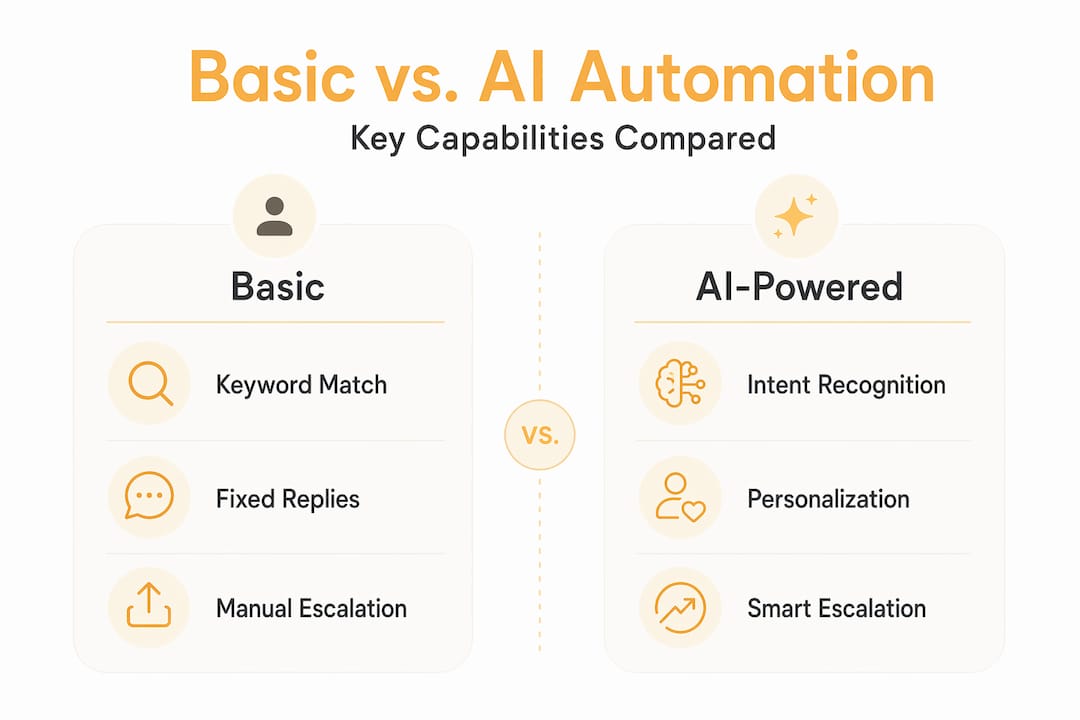
Here is a comparison of basic automation versus AI-enhanced automation:
| Feature | Basic automation | AI-enhanced automation |
|---|---|---|
| Keyword matching | Exact match only | Intent-based, handles variations |
| Personalization | Name and date fields | Context-aware, adapts to conversation history |
| Escalation trigger | Manual rules only | Sentiment analysis, turn-count, topic detection |
| Handling ambiguity | Fails or sends generic reply | Asks clarifying questions |
| After-hours triage | Static response | Dynamic routing based on urgency |
The escalation logic piece is where most businesses underinvest. Hard escalation rules should force routing to a human agent whenever legal topics, billing disputes, or emotionally charged language appear, regardless of how confident the AI is in its answer. Sentiment analysis can detect frustration early. Turn-count tracking can flag when a conversation is going in circles. Both should trigger a handoff before the customer gives up.
Personalization within automated replies is also more achievable than it sounds. Pulling the customer’s name, their last service date, or their product type from your CRM and inserting it into the reply takes seconds to configure. The customer experience feels completely different from a generic “Thanks for reaching out.”
Pro Tip: Track a metric called “first human response time” separately from your auto-acknowledgment time. Many teams measure first response using auto-replies, which inflates performance numbers and hides real gaps in your support coverage.
76% of customers prefer to find their own answers rather than speaking with a support agent. AI-powered automation, when built correctly, gives them exactly that while keeping a human in reserve for the moments that actually need one.
Practical strategies for deploying text automation
Getting the technology in place is step one. Getting it to actually perform for your business is a different project. Here is how to approach deployment without creating more problems than you solve:
- Choose a platform that fits your existing stack. Your automation tool needs to connect to your CRM, your calendar, and your phone system. A standalone texting tool that does not sync with your contact records creates data gaps that hurt follow-up quality.
- Map your workflows before you configure anything. Write out the five most common reasons customers contact you. Build a reply path for each one before you touch the software. This prevents the “we’ll figure it out as we go” trap that leads to broken automations.
- Build a human fallback into every workflow. Every automated path should have a clear exit point where a human can take over. This is not optional. It is the difference between automation that helps and automation that frustrates.
- Set KPIs from day one. Track opt-out rates, first human response time, lead-to-booking conversion rate, and customer satisfaction scores. If opt-out rates climb above 3%, your message frequency or content needs adjustment.
- Review and revise monthly. Customer language changes. New questions emerge. An automation script that worked well in January may be missing the mark by April. Schedule a monthly review of your most common unhandled messages and update your templates accordingly.
An AI receptionist for real estate or a dental clinic operates on the same core logic: respond fast, qualify the lead, and hand off to a human at the right moment. The playbook is the same across industries. The configuration is what changes.
Pro Tip: Run a 30-day pilot on a single workflow, such as missed-call text-back, before rolling out full automation. This gives you clean data on response rates and opt-outs without risking your entire contact list.
My take on automation and the human element
I’ve watched businesses go two ways with automation. One group treats it like a replacement for human communication. They automate everything, remove every escalation path, and wonder why their customer satisfaction scores drop. The other group treats automation as the first handshake. Fast, reliable, always available. But they keep humans in the loop for anything that matters.
The second group wins. Every time.
What I’ve learned from working with over 300 deployments is that the biggest failure point is not the technology. It is the assumption that a fast reply is a good reply. Speed matters. But a fast reply that sends someone in circles is worse than a slow reply from a person who actually helps.
The importance of text automation is real. But it only delivers when you pair it with clear escalation rules and a genuine commitment to resolving the issue, not just acknowledging it. Automation should liberate your team to do better work. Not hide the fact that no one is available.
— Adam
How Pulp AI Studio handles this for you
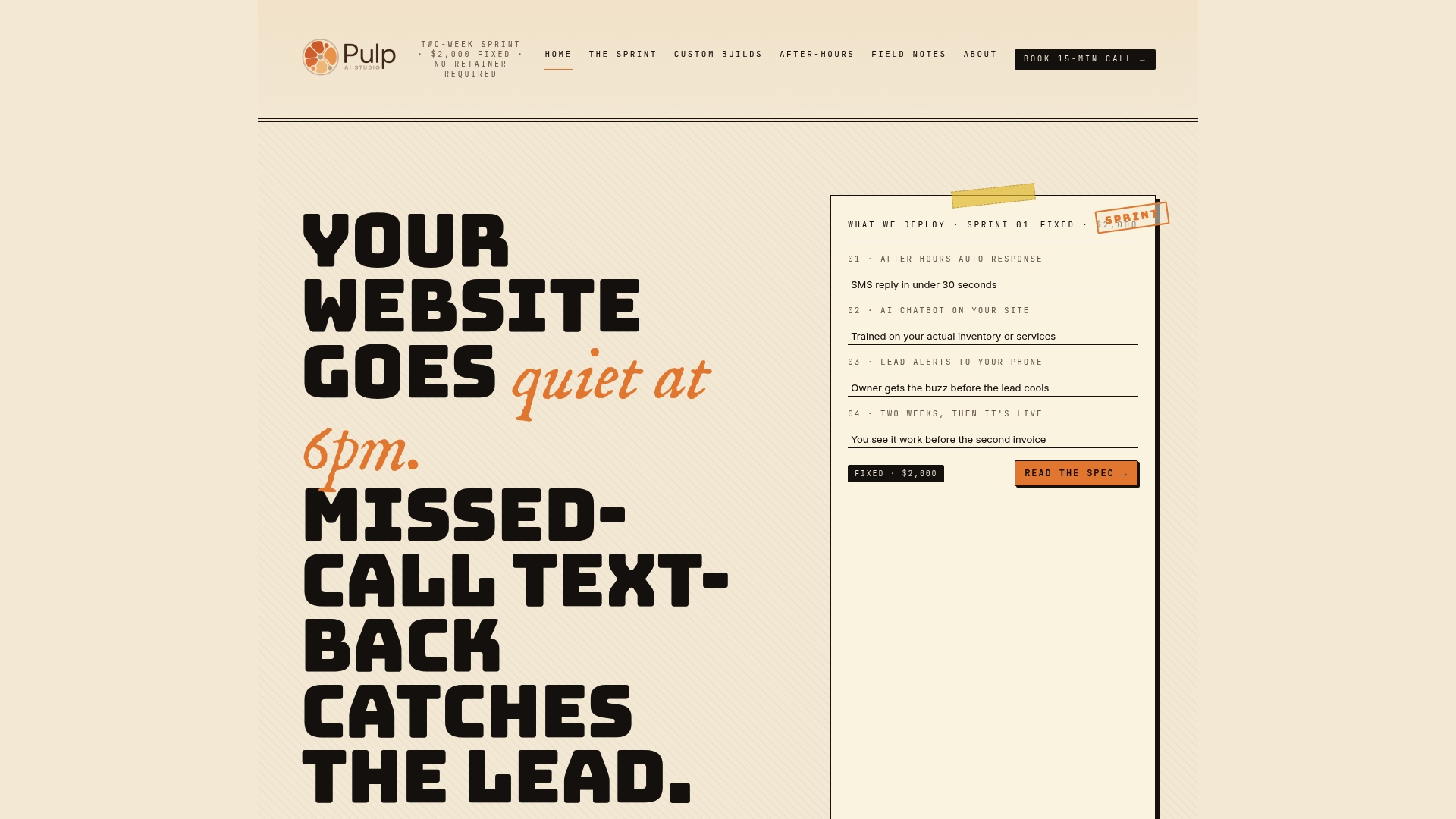
Pulp AI Studio built its entire system around one problem: businesses losing leads during off-hours because no one responds fast enough. The missed-call text-back system fires a reply within 30 seconds of a missed call, keeping the conversation alive before the prospect dials someone else. For businesses that need more, Pulp AI Studio offers custom AI chatbot builds and a fixed-fee after-hours answering service that handles inquiries around the clock. You own the rig. Fully deployed in two weeks. If you are ready to stop losing leads to silence, the setup is faster and more affordable than most owners expect.
FAQ
What is the role of automated text replies in business?
Automated text replies handle the first point of contact instantly, keeping leads engaged and routing inquiries to the right person or workflow without requiring a human to be available 24/7.
How do automated replies improve lead conversion?
Speed is the primary factor. Responding within seconds of a missed call or inbound message keeps the prospect engaged before they contact a competitor, directly increasing booking and conversion rates.
What compliance rules apply to automated SMS?
The TCPA requires prior express written consent before sending automated marketing texts. Opt-outs must be processed within 10 business days, and one non-promotional confirmation message is allowed within 5 minutes of an opt-out request.
When should a chatbot escalate to a human agent?
Hard escalation rules should trigger a handoff whenever a conversation involves legal topics, billing disputes, or negative sentiment. Sentiment analysis and turn-count monitoring are the most reliable triggers for early escalation.
How do I measure automated response effectiveness accurately?
Track first human response time separately from auto-acknowledgment time. Auto-replies inflate first-response metrics and can mask real gaps in your support coverage if you do not distinguish between the two.
Recommended
- After Hours Answering Service · AI Rig · Pulp AI Studio
- AI Receptionist for Real Estate, The 5-Minute Rule · Pulp AI Studio
- AI Receptionist for HVAC, No-Heat, No-AC, No Voicemail · Pulp AI Studio
- AI Receptionist for Dentist Offices, The Missed-Call Math · Pulp AI Studio
Article generated by BabyLoveGrowth